Announcements
If your phone were stolen now, would you be able to quickly lock your accounts and linked services?Many people only find out that they are not ready when it is too late.
Step by step to register on the Secure Cell Phone
Registration in the system is simple and can be done in a few minutes. This process is important because it registers your device in the system and allows you to issue an alert quickly if the phone is stolen, stolen or lost.
See how to register:
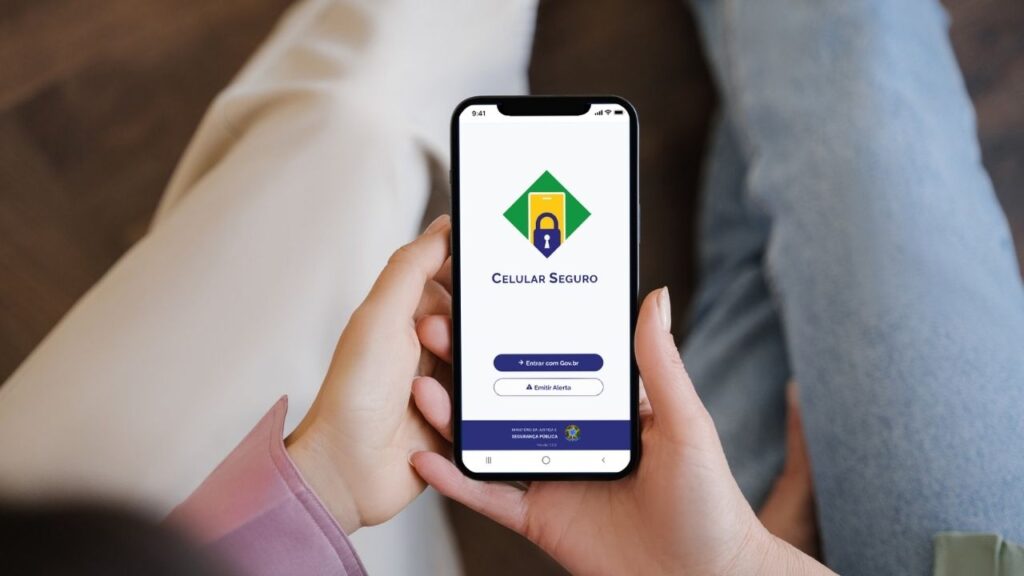
1️⃣ Download the official app: The first step is to install the application Mobile Safe BR on your cell phone.
You can find the app in the main app stores:
👉 Android: https://play.google.com/store/apps/details?id=com.cellularlegal&pli=1
IOS: https://apps.apple.com/br/app/mobile-secure-br/id6468590483
If you prefer, you can also access the system through the official government portal.
👉 https://cellularseguro.mj.gov.br/
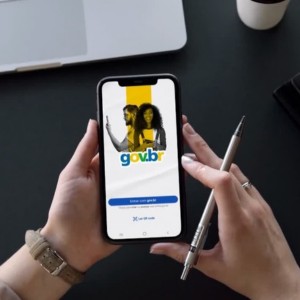
2️⃣ Log in with your account gov.br: After installing the app, you will need to sign in using your gov.br account.
This account acts as a digital identity and allows the system to associate the registration with your CPF.
If you do not already have an account, you will need to create one before continuing.
3️⃣ Register your mobile phone in the system: After accessing the application, the system will allow you to register your mobile phone.
During this step, some information may be requested, such as:
- phone number
- data linked to CPF
- confirmation of gov.br account information
This record is important because it allows you to identify which device is associated with the user within the system.
4️⃣ Confirm the registration data: After registering the device, the system may request confirmation of some data.
This helps ensure that the device is correctly associated with the user.
Review all information before finalizing the registration to avoid future problems.
5️⃣ Finish the registration: After confirming the data, the phone will be officially registered in the system.
From that moment, you can use the application to:
- issue alerts in case of theft or loss
- manage registered devices
- add trusted people
This process usually takes only a few minutes to complete.
Information required to register
To create your registration on the Secure Cell, some basic data is required.
Among the main information used are:
CPF of the user
gov.br account active
📝 mobile phone number
This information is used to ensure that the registration is linked to the correct user.
Using the gov.br account also helps to increase system security, as it uses identity verification mechanisms.
If your gov.br account is still at a basic level, you may need to perform some additional verification steps.
How to register people of trust
One of the most important features of Mobile Safe is the possibility of registering trusted people.
These people can issue an alert in the system if the phone is stolen or lost and the user does not have immediate access to another device.
This feature is especially useful in situations such as:
theft of cell phones in public places
loss of the device during a trip
difficulty accessing the system quickly
Registering trusted people helps ensure that the alert can be issued quickly.
To add a trusted person to the app, you typically need:
1️⃣ access the application management area
2️⃣ select the option to add trusted contact
3️⃣ inform the data of the person who can issue alerts
After that, the registered person can access the system and issue the alert if necessary.
Common errors when registering ⚠️
Although signing up for Secure Cell Phone is simple, some people face difficulties because of common mistakes.
Knowing these problems can help you avoid them.
⚠️ Not have active gov.br account: The system requires login by gov.br account.If the user does not have this account or has difficulties accessing it, the registration can not be completed.
⚠️ Not correctly registering the device: Some users log in to the app but forget to complete device registration.
Without this registration, the mobile phone will not be linked to the system.
⚠️ Do not add trusted people: Many people ignore this step during registration.
However, having trusted people registered can be critical in emergency situations.
install fake apps: Another problem that can occur is downloading applications that mimic the name of the official system.
Always check:
- the correct name of the application
- official developer
- app store reviews
This helps ensure that you are using the legitimate application.
Registering your mobile phone in the Secure Cellular system is a simple step that can help reduce risks in case of theft, theft or loss of the device. With the registered device and trusted people registered, the user can issue an alert quickly and start blocking services linked to the cell phone.
Having this preparation in advance can make a difference in unexpected situations, especially when the goal is to protect personal data and prevent misuse of the device by third parties.