Announcements
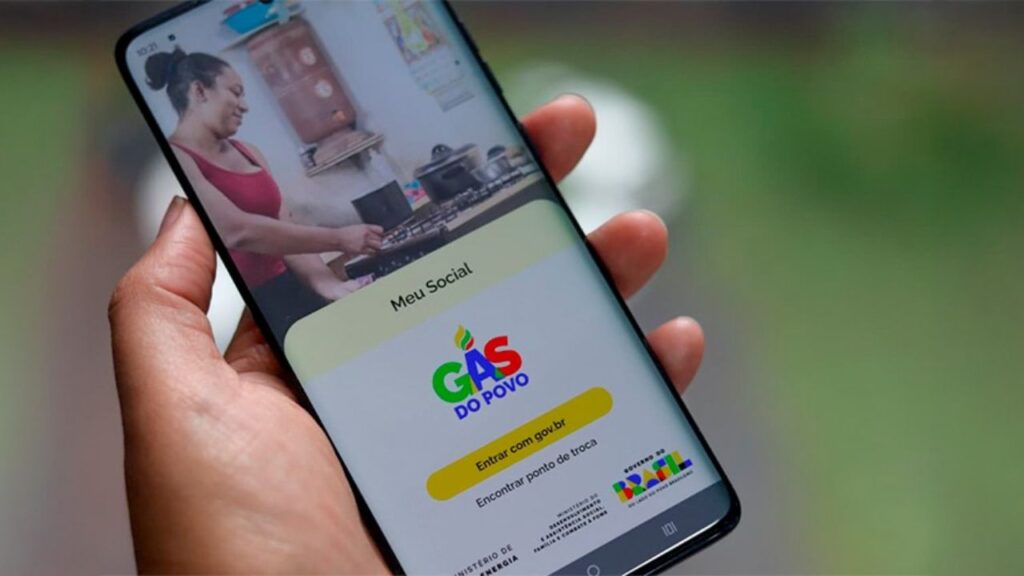
If the People's Gas it was released to his family, the fastest way to find out is using the my Social App.
The problem is that many people hang right at the beginning: they do not know where to download the application, how to create the account or even how to enter the system to see the benefit.
How to download the My Social app to check the People's Gas
The app My Social it can be installed directly in the official mobile app stores.This ensures that you use the correct version of the system and avoids risks of fake apps.
See where to download:
📱 Android: Open the Google Play Store and search for My Social.
📱 iPhone (iOS): Open the App Store and search by My Social.
Before installing, check some important details:
the application must be associated with the Federal Government
the name needs to be exactly My Social
the page should show information about social programs
If you want to access directly through the app store, you can use the official link below:
👉 Android: https://play.google.com/store/apps/details?id=br.gov.mds.meusocial&hl=en_BR
👉 IOS: https://apps.apple.com/app/my-social-g%C3%A1s-of-the-people/id6754226503
Once you find the app, tap Install and wait for the download to complete.
How to install the app on mobile
After tapping the button Install, the mobile will automatically download the application.
The process usually takes a few seconds, depending on the speed of the internet.
When the installation is finished, just tap Open to launch the app for the first time.
If you prefer, you can also find the app icon on the mobile home screen or in the list of installed apps.
The icon usually appears with the name My Social and it can be opened at any time to consult benefits.

How to create an account to access the My Social app
To enter My Social and consult the People's Gas, it is necessary to have an account Gov.br.
This account functions as a digital identification of the citizen in government services.
If you already use services such as:
✅ My INSS
✅ services of Gov.br
you probably already have that account.
If you do not have it yet, registration can be done quickly.
Step by step to create Gov.br account
1️⃣ Open the app My Social
👉 Android: https://play.google.com/store/apps/details?id=br.gov.mds.meusocial&hl=en_BR
👉 IOS: https://apps.apple.com/app/my-social-g%C3%A1s-of-the-people/id6754226503
2️⃣ Tap the option Enter
3️⃣ Inform your CPF
4️⃣ Choose the option to create account
5️⃣ Follow the verification steps requested by the system
During this process, the system may ask:
🔶 confirmation of personal data
🔶 password creation
🔶 identity validation
Once the account is created, you can use the same login whenever you need to access government services.
How to sign in to the My Social app
Once the app is installed and the account is created, access to the system is simple.
Step by step to enter My Social
1️⃣ Open the app My Social
👉 Android: https://play.google.com/store/apps/details?id=br.gov.mds.meusocial&hl=en_BR
👉 IOS: https://apps.apple.com/app/my-social-g%C3%A1s-of-the-people/id6754226503
2️⃣ Tap Enter
3️⃣ Type your CPF
4️⃣ Inform a gov.br account password
5️⃣ Tap Continue
After logging in, the app will load the information associated with your CPF.
This includes data on social programs linked to the Single Register.
Among them, the People's Gasif the benefit is available or under review.
Important tips to access the app without problems
Some small details can prevent errors when entering the application.
✔️ Always use the correct CPF: The system searches for information directly associated with the number entered.
✔️ Save your password Gov.br: It will be required whenever you want to access the app.
✔️ Avoid third-party applications: Always download My Social only in the official stores.
✔️ Keep the app up to date: Updates ensure system improvements and bug fixes.
Common issues when signing in to My Social (and how to resolve)
Some people face difficulties when accessing the application. Fortunately, most of these problems have quick solution.
!!️ CPF not recognized: This can happen when the CPF is irregular or when there is a typo.
Check the number you entered and try again.
!!️ Forgot the password of the account Gov.br: If you do not remember the password, tap the “ optionI forgot my password” on the login screen.
The system will allow you to reset access after identity confirmation.
!!️ Application does not open or lock: Some simple actions can solve:
- update the app
- restart the cell phone
- check internet connection
Security when using the My Social app
When accessing social benefits apps, it is important to take some care.
🔒 Never share your password Gov.br
🔒 Avoid accessing the application on third-party phones
🔒 Do not enter personal data outside the official app
These measures help protect your information and ensure that only you have access to benefit data.
Installing and accessing the My Social app is an important step for anyone who wants to keep track of information about social benefits and check the status of their People's Gas.
With the application on the mobile phone and the Gov.br account configured correctly, the user can consult their data whenever they need, quickly and safely.