Announcements
You need to present the CPF for a registration, registration or account opening, but realized that you do not have the document in hand? This happens to many people.
How to print CPF online (step by step)
The document that can be printed is called Proof of Registration in the CPF. It shows the basic information of the holder and confirms that the number is registered in the system.
See the general procedure for issuing the document:
1️⃣ Access the official page of issuance of the CPF voucher
👉 https://servicos.recipe.fazenda.gov.br/Services/CPF/ConsultationSituation/ConsultaPublica.asp
2️⃣ Inform the requested data:
- CPF number
- full name
- date of birth
- mother's name
- voter title (when requested)
3️⃣ Confirm the information and send the inquiry.
4️⃣ The system will display the proof of registration in the CPF.
5️⃣ Use the option print from the browser or save the document in PDF.
After that, the document can be presented when necessary.
What is the proof of registration in the CPF
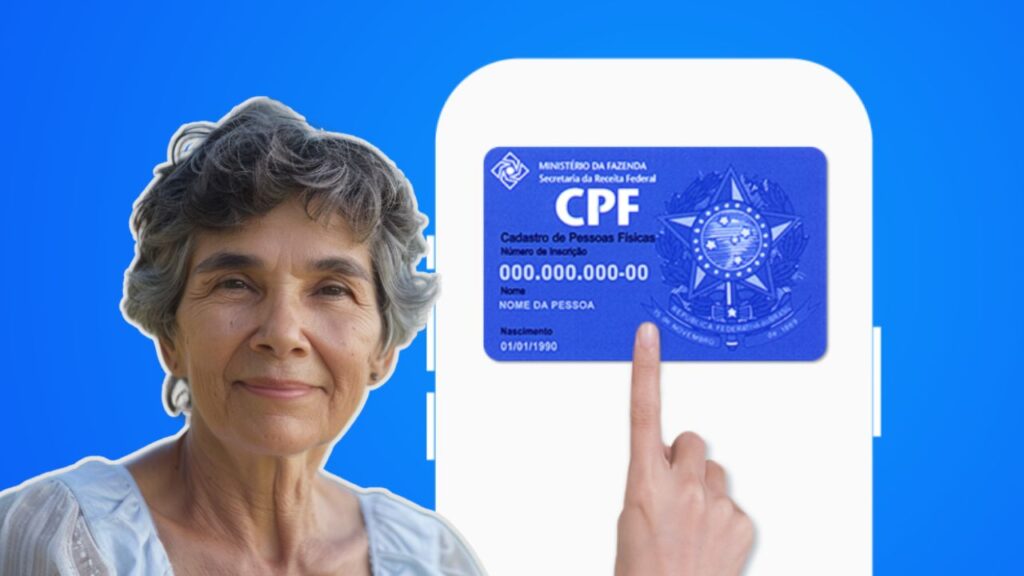
Many people believe that the CPF only exists as that old blue card that was issued years ago.
In practice, the most widely used document today is the proof of registration in the CPF, which can be issued over the internet whenever necessary.
This voucher shows information such as:
CPF number
🔎 full name of the holder
🔎 date of birth
🔎 date of registration in the CPF
cadastral situation
These data are sufficient to confirm the registration of the person in the IRS system.
This document is widely accepted in many situations.

When it may be necessary to present the printed CPF
Although many institutions already accept only the CPF number or the digital version of the document, there are still situations in which the printed voucher can be requested.
Some examples include:
opening bank accounts
enrollment in schools or universities
📄 registration in contests
📄 registrations in financial services
updating data in companies or public bodies
Having easy access to the voucher can avoid delays when an institution requests the document.
How to save the CPF to PDF before printing
It is not always necessary to print the document immediately.In many cases, it may be more useful to save the file in digital format.
To do this, just follow a few simple steps.
After the voucher appears on the screen:
1️⃣ click on the option print browser
2️⃣ select save as PDF
3️⃣ choose the folder where you want to save the file
4️⃣ confirm the download
This way, the document is saved on your computer or mobile phone and can be printed when needed.
This procedure also makes it easier to send the document by email or messaging apps.
How to access the CPF by the Federal Revenue application
Another practical way to access the CPF is through the official application of the Federal Revenue Service.
This application allows you to consult information from the CPF directly by mobile phone and check the registration status of the document.
In app Federal Revenue, the user can:
📱 consult CPF data
check if the document is regular
📱 access registration information
📱 follow services related to CPF
👉 Android: https://play.google.com/store/apps/details?id=br.gov.economia.recipe.rfb&hl=en_BR
👉 IOS: https://apps.apple.com/br/app/federal revenue/id1558883724
Even when you use the application to consult the CPF, it is still possible to issue the proof of registration over the internet whenever you need to print the document.
Common problems when trying to print CPF
Despite being a simple process, some people face difficulties when trying to issue the proof of CPF.
The most common problems include:
❌ enter incorrect data in the form
❌ inform name or date of birth different from the registration
use unofficial pages
trying to access the system in times of instability
When any information is entered incorrectly, the system cannot locate the registration and the issuance of the document is not completed.
Therefore, it is important to check all the data before performing the query.
What to do when the system does not find the CPF
If the system reports that the CPF could not be located, some situations may be happening.
Among the most common possibilities are:
!!️ typo in the information
!!️ CPF not yet issued
!!️ divergence in cadastral data
In such cases, it is worth reviewing all the information provided in the form and trying again.
If the problem continues, it may be necessary to check the registration status of the CPF or update the registered data.
👉 https://servicos.receita.fazenda.gov.br/services/cpf/consultacionasituation/consultapublica.asp
Important tip when issuing the voucher
Always use only official government pages to issue the proof of registration in the CPF.
On the internet there are several sites that promise to issue the document for payment, but this service is completely free when performed by official channels.
In addition, accessing trusted pages ensures that the data displayed is the same as that recorded in the IRS system.
Issuing and printing the CPF voucher is a quick procedure that can be done directly over the internet.
With a few data and a few minutes, you can access the document and generate a valid version to present whenever necessary.
Having this voucher available facilitates registration, avoids delays in processes and ensures that the CPF can be used in a practical way in different situations of day to day.