Announcements
Buying or selling a car has always meant facing bureaucracy: notary, paperwork, queues and delay to complete the transfer. But that has changed. Today it is already possible transfer the vehicle digitally, directly by mobile, using the official traffic applications and electronic signature.
How to transfer a vehicle through a digital wallet
Digital vehicle transfer allows buyer and seller to do virtually the entire process by mobile.
This procedure is known as digital transfer of vehicle ownership, and can be realized when the vehicle has Digital CRV (ATPV-e).
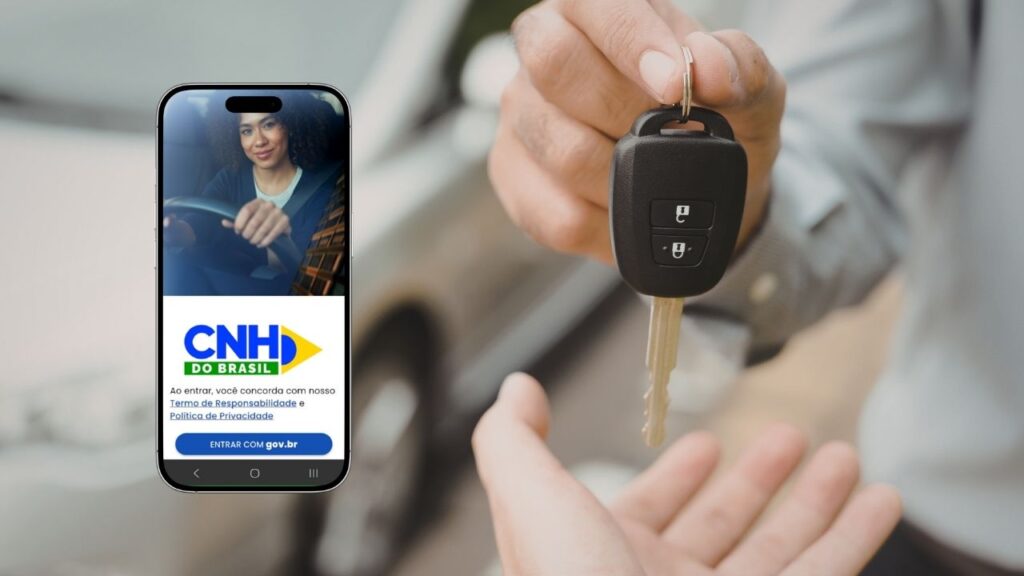
The process takes place through official traffic applications, such as the CNH of Brazil, and uses authentication by the gov.br account.
In short, digital transfer works like this:
1️⃣ seller starts the sale process
2️⃣ Buyer confirms the transfer data
3️⃣ Both digitally sign the authorization
4️⃣ the process is sent to the Detran system
After that, the transit body analyzes the information and finalizes the change of ownership.
Requirements for making digital transfer
Before starting the process, it is important to check that the vehicle meets the conditions necessary for the online transfer.
Among the most common requirements are:
- vehicle with Digital CRV (ATPV-e)
- buyer and seller with active gov.br account
- regularized vehicle document
- no blockages or restrictions on the vehicle
If the vehicle still has the Old CRV on paper, it may be necessary to carry out part of the process in person.

Step by step to transfer vehicle by mobile phone
When the vehicle has digital documentation, the process can be started directly by the application.
1️⃣ Access the application of traffic documents
Open app CNH of Brazil on mobile and log in with your gov.br account.
👉 Android: https://play.google.com/store/apps/details?id=br.gov.serpro.cnhe
👉 IOS: https://apps.apple.com/br/app/cnh-do-brasil/id1275057217
Within the application you can access the vehicle documents linked to the owner's CPF.
2️⃣ Start transfer authorization
The seller must start a Vehicle Property Transfer Authorization (ATPV-e).
At this stage they will be informed:
- CPF or CNPJ of the buyer
- sale value
- negotiation date
This information will be recorded in the Detran system.
3️⃣ The buyer confirms the transfer
After the seller starts the process, the buyer receives the transfer request.
He will need:
- access the app
- confirm trading data
- validate operation
This process ensures that both parties agree to the transfer.
4️⃣ Digital authorization signature
After confirmation, buyer and seller need to carry out the electronic signature of the transfer document.
This signature is made directly in the application and has legal validity.
Authentication typically occurs through the gov.br account.
5️⃣ Sending the request to Detran
After the digital signature, the transfer request is automatically sent to the Detran system.
The transit agency then analyzes the information and begins the process of changing ownership of the vehicle.
In some states it may be necessary:
- vehicle inspection
- payment of transfer fees
How much it costs to transfer a vehicle
The transfer amount may vary by state.
Fees are usually charged as:
- property transfer fee
- fee for issuing the new document
- vehicle inspection (when required)
Below is an example of the most common fees involved in the process.
| Step | Possible cost | Remark |
|---|---|---|
| Property transfer | Defined by Detran | Value varies by state |
| Vehicle inspection | Can be charged | Not all states require it |
| Issuance of new document | Included in the transfer | Document passes to the new owner |
Common problems when trying to transfer vehicle online
Even with the digitization of the process, some situations may prevent the transfer.
Among the most common problems are:
vehicle with outstanding debts
judicial or administrative blockade
incorrect data of the buyer
gov.br account not validated
If any of these situations occur, the system may prevent the transfer from completing until the situation is regularized.
Important care before transferring the vehicle
Before starting digital transfer, some precautions help to avoid problems.
check if there are no pending fines
check if licensing is up to date
✔️ confirm the buyer's data
correctly record the value of the sale
This information is part of the official record of the transfer and helps ensure that the process takes place without errors.
Digital vehicle transfer has brought more agility to a process that was previously known by bureaucracy.With the use of official applications and electronic signature, buyer and seller can initiate the change of ownership much more simply.
Understanding the requirements, preparing the data correctly and following the process through the Detran system helps ensure that the transfer is carried out safely and without complications.