Announcements
Want to avoid surprises with your CNH? The good news is that seeing points in the wallet can take just a few minutes, provided that you use the official channels and know how to correctly interpret the information displayed.
How to consult CNH points through the Digital Traffic Wallet (CDT)
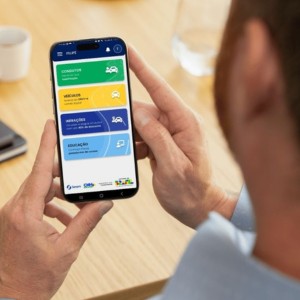
The official application of the Federal Government changed its name: the old one Digital Traffic Wallet (CDT) now it's called CNH of Brazil. You can download it for free:
📲 Android:
https://play.google.com/store/apps/details?id=br.gov.serpro.cnhe
📲 iPhone (iOS):
https://apps.apple.com/br/app/cnh-do-brasil/id1275057217
After installing the app, log in with your gov.br account. Depending on your situation, you may need to have an active Digital CNH or a Silver or Gold level gov.br account to access all features.
Next:
- Open app.
- Tap “Infractions”.
- Choose query “By” Conductor or “By” Vehicle.
To check your score, prefer the option “By” Driver. The vehicle query may show off infractions that did not necessarily generate points for you.
⚠️ One important detail: currently, the application CNH Brazil does not display a report saying how many points you have in CNH. To see points in the wallet, you must open each infringement individually and consult its details.
If you have already paid a fine, use the Filter and select the option “Pagas, because these infractions usually do not appear in the initial view.
How to check the score by Senatran Portal and Detran of your state
In addition to the CNH Brazil application, it is also possible to consult information of your habilitation through the channels of the Senatran and Detranates.
Although both are officers each platform has a different purpose and may present information differently.
Consultation through the Senatran Portal
The Senatran Service Portal brings together several services related to the qualification and vehicles.
To access, enter:
https://portalservicos.senatran.serpro.gov.br/#/user/panel
After logging in with your gov.br account, access the area “Conductor” and select “Consult My Qualification”.
There, you can consult CNH information, such as the history of issued qualifications and any active blocks. Depending on the query made, you can also view information related to the violations.
📌 If the goal is to see points in the wallet, it is worth remembering that the portal may present the information differently from the Detran of your state.
Consultation by Detran of your state
Each state organizes the query in its own way. Access only the official address of Detran where your license is registered and look for terms such as:
- Enabling consultation.
- CNH score;
- Points consultation;
- Punctuation extract;
- Driver's record;
The Detran it tends to be the most important channel when you need a formal statement or the sum recorded in the medical record, this document can be useful for conferences, administrative procedures, insurers, or dispute inconsistencies.
💡 In many states, Detran provides an extract with the amount of points accumulated and the detailing of the infractions, making this consultation more practical for those who want to check the full situation of the license.
The procedure varies from one state to another, but usually just access the official Detran portal, log in and search for the score consultation service or CNH medical record.
⚠️ Avoid using unofficial websites or services that charge to provide this information, as the consultation is free on public channels.

How to interpret the result of the query
When consulting your license, it is important to understand that not every occurrence found means that the points have already been registered in the CNH.
There is a difference between:
- Autuation: initial registration of the infringement.
- Fine: penalty imposed after the administrative procedure.
Depending on the situation, there may still be driver indication, defence presentation or appeal. Therefore, an ongoing assessment does not necessarily represent points already posted in the portfolio.
Another important point is that paying the fine does not automatically eliminate the points. The payment pays off the financial penalty, but the score follows the rules provided for in the traffic legislation.
✅ Always check the situation of each infringement before calculating your score.
If your goal is to see points in the wallet more safely, compare the information of the CNH application in Brazil with the extract provided by Detran of your state. Thus, you reduce the risk of misinterpreting any infringement that is still under analysis.
Consulting the score regularly helps you keep track of your situation as a driver and quickly identify any inconsistencies.