Announcements
Not sure what plant you’ looking at or why its leaves are turning yellow? A plant identification and care app can help you recognize species, understand their needs, and keep your plants healthier with less guesswork.
Where would you like to start?
Choose what matters most to you and explore the options below.
The apps I recommend for identifying plants and learning how to care for them
These three apps offer different ways to identify plants and learn about their needs.
- PictureThis
- Plantify
- PlantNet

PictureThis identifies plants from photos and provides guidance on watering, lighting, plant diseases, and toxicity. It’s useful for people who want to manage their homes and spot potential problems. Before installing, the check which features require payment.
- Key benefit: Plant health analysis, watering reminders, and personalized care guidance.
- Keep in mind: Some features require a paid subscription.
- Installations
- 50M+
- Size
- 254.6 MB
- Platforms
- Android / iOS
- Price
- Free· In-app purchases
App information may change. Check the latest details and terms on the official app stores.
Plantify recognizes flowers, trees, succulents, and other plants using photos. It also offers growing tips and species information, making it a practical choice for beginners.
- Key benefit: Photo identification and care guides for indoor and outdoor plants.
- Keep in mind: Advanced features may require a subscription, and identification results are’ always accurate.
- Installations
- 5M+
- Size
- 77 MB
- Platforms
- Android /iOS
- Price
- Free· In-app purchases
App information may change. Check the latest details and terms on the official app stores.

Pl@ntNet focuses on identifying plant species and learning about biodiversity. It’s especially useful for people who enjoy discovering plants in parks, gardens, and natural areas.
- Key benefit: Free plant identification supported by a collaborative scientific database.
- Keep in mind: It focuses on species recognition rather than daily care reminders.
- Installations
- 10M+
- Size
- 85.9 MB
- Platforms
- Android / iOS
- Price
- Free· In-app purchases
App information may change. Check the latest details and terms on the official app stores.
How to get a plant identification app on your phone
Getting started is simple:
- Get your phone ready.
Connect to the internet and open the Google Play Store or Apple App Store. - Find the right app.
Search for PictureThis, Plantify, or Pl@ntNet and check the developer’s name. - Install the app.
Tap Install or Get and wait for the download to finish. - Allow camera access.
Open the app and grant camera permission if you want to identify plants using photos. - Test identification.
Take a clear picture of a plant and review the suggested species and care information.
5 benefits of having a plant identification and care app on your phone
Check the result
A photograph can help identify species found in homes, gardens, or walks.
- Image recognition.
- Information on species characteristics.
Learning to take better care
Applications can guide you on the basic needs of different plants.
- Tips for watering and lighting.
- Information on fertilization and cultivation.
Identify possible problems
Some tools analyze images to suggest causes of plant changes.
- Identifying signs of disease.
- Suggestions for care and treatment.
Organize daily care
Certain applications allow you to track registered plants and schedule reminders.
- Irrigation notifications.
- Organizing plant collections.
Recognize potentially toxic plants
Check plant toxicity information and identify possible risks to your household.
- Toxicity
- Basic safety guidance
Swipe to see the 5 advantages
Advantage 1 of 5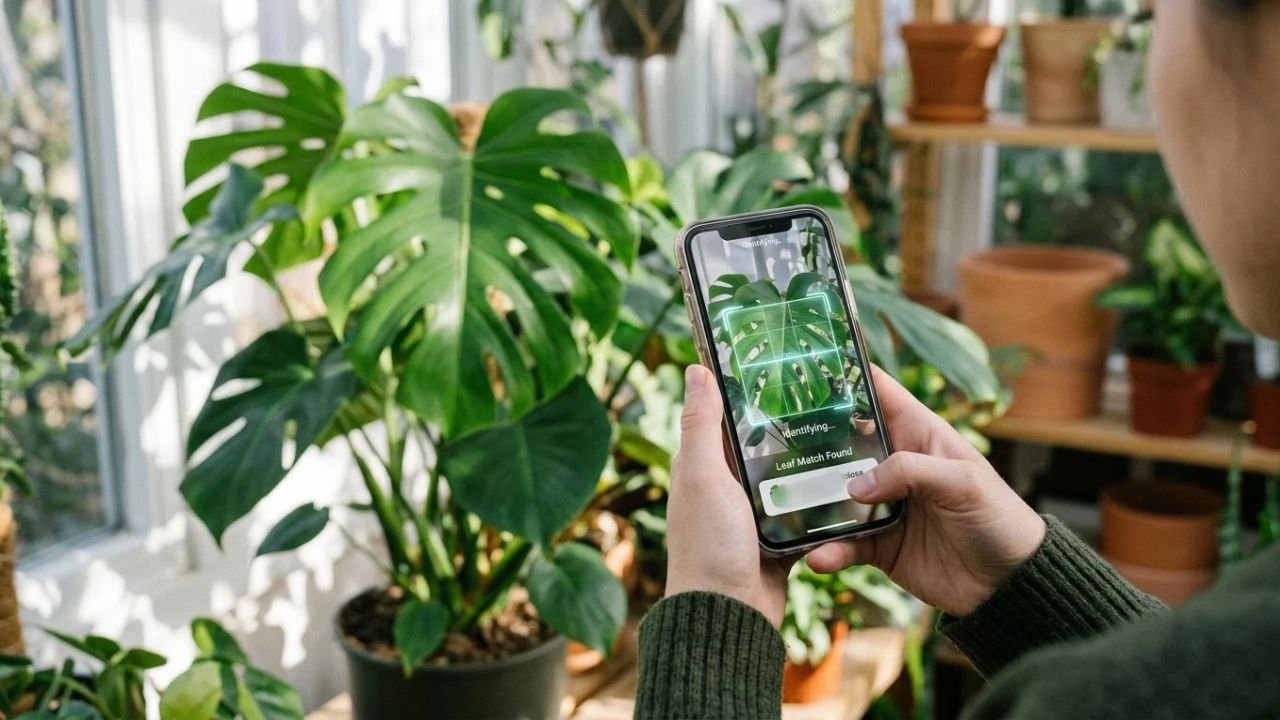
The best ways to use a plant care app in your daily routine
Explore the tips below to get more useful results from your plant care app. You can follow more than one.
Take clear photos of your plants
Use natural light and photograph leaves, flowers, and stems. Sharp images showing distinctive features can improve identification results.
Check the care recommendations
Once you’ identified a plant, review its watering, lighting, and fertilizing needs. Adjust the advice to your home’s conditions.
Monitor your plants’ health
Watch for yellowing leaves, unusual spots, or signs of pests.Some apps can analyze photos and suggest possible causes and next steps.
Compare the key features of the best plant identification and care apps
- Available features:
PictureThis combines plant identification, health analysis, and care tracking. Plantify offers species recognition and growing guides, while Pl@ntNet focuses on botanical identification. - Costs and limitations:
PictureThis and Plantify offer paid features. Pl@ntNet is a free alternative for users mainly interested in identifying plants. - Which one should you choose?
Consider PictureThis for managing houseplants, Plantify for learning basic plant care, and Pl@ntNet for identifying species found billboards.
Who I wouldn’t recommend these apps for
- Occasional users: If you only need to identify a plant once in a while, paying for a subscription may not make sense.
- People who want everything for free: Some PictureThis and Plantify features require payment.
- Users without reliable internet: Certain features, particularly photo identification, may require an internet connection.
- Anyone needing highly personalized advice: General care recommendations may not fully account for your plant’s environment.
One important thing to know
Plant identification apps can make mixtures. Take clear photos of different plant parts and double-check results, especially when dealing with potentially poisonous, edible, or medicinal plants.
Still questions?
Can an app identify a plant from a photo?
Yes. All three apps use photos to suggest plant species, although results may sometimes be inaccurate.
What app helps with everyday plant care?
PictureThis and Plantify provide growing advice. PictureThis also includes tools for tracking plant care.
Can these apps detect plant diseases?
Some apps, including PictureThis, analyze photos to suggest potential plant health problems and care options.
The plant identification apps need internet access?
Many identification features rely on an internet connection. Offline availability depends on the app.
Your next step: download the plant app that best suits your needs
Now that you know the main options, choose the app that matches your goals.
PictureThis is worth considering if you want to manage your houseplants and track their health. Plantify may suit you if you’ learning about plant care, while Pl@ntNet is a practical choice for identifying plants in nature.
Try the available features before paying for a subscription, and make sure the app offers what you currently need.