Announcements
Turning your home into a smart and cheap home is already a reality in Brazil.You do not need construction works or spend a fortune to start.
With a low initial investment, you can use Alexa to automate tasks.This guide shows you the exact path, step by step.
You will learn to choose the right devices, install everything and create routines that really make your day to day.
What do you need to get started?
The foundation of a smart home with Alexa is simple.You only need two things to kick-start your automation project.
First, a device from the Amazon Echo line. It works like the “brain” system, receiving your voice commands and controlling the rest.
Second, compatible smart devices. Think of bulbs, sockets, and controls that talk to your Alexa.
The brain of the house: Which Alexa to choose?
Choosing your Amazon Echo defines how you interact with your home.There are templates for every budget and need.
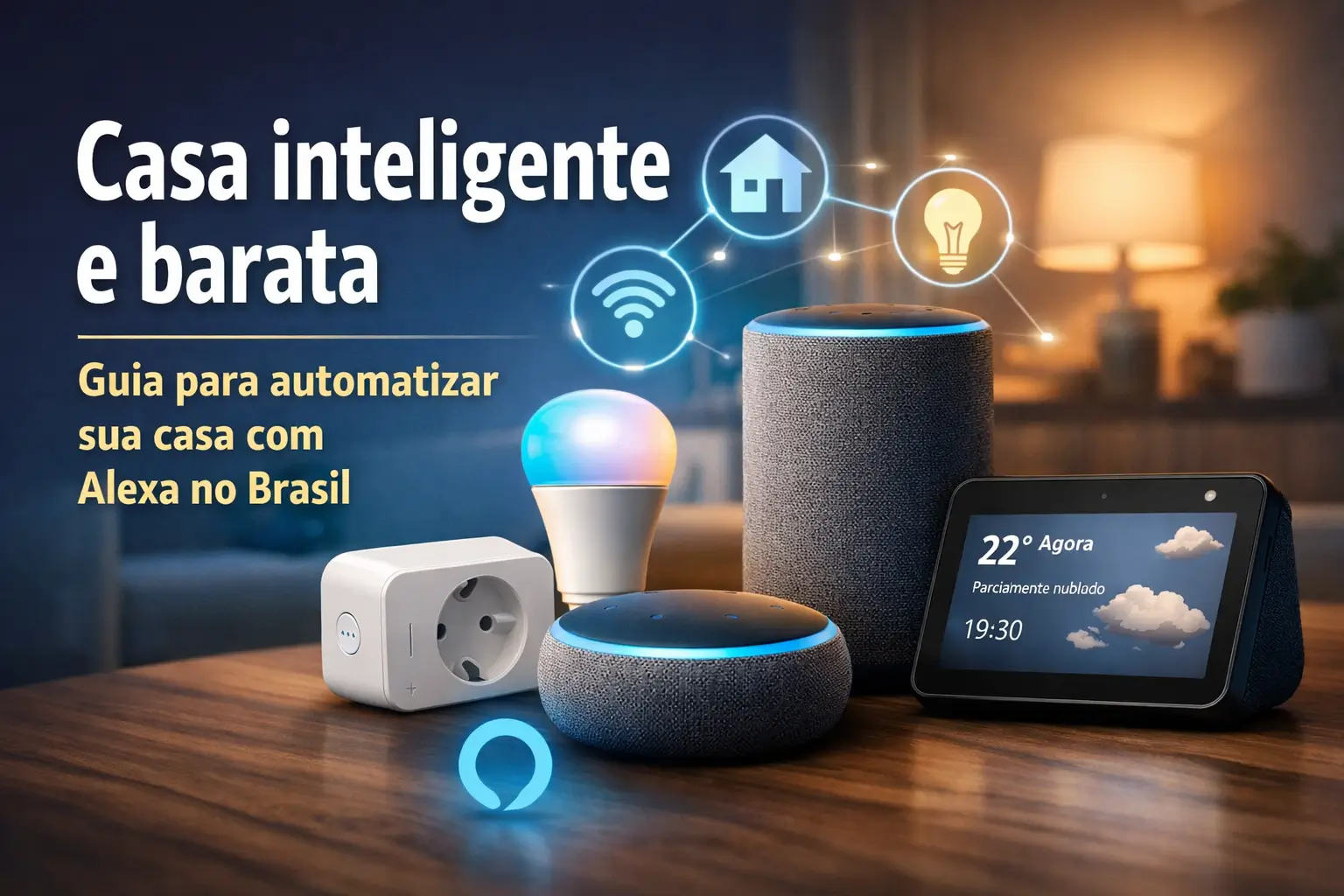
- Echo Pop's The cheapest and compact. Great for those who want to test the technology or have Alexa in several rooms without spending much.
- Echo Dot (5th Generation): The best-selling.It offers a better sound and, in some versions, even has an LED watch.
- Echo (spherical): For those who want more sound power.Some models have a Zigbee hub, which connects appliances without needing extra bridges.
- Echo Show (with screen): Perfect for viewing cameras, following recipes, making video calls and more.
For those just starting out, the Echo Pop (from R$ 275,98) or the Echo Dot (from R$ 406,60) they're the best entry doors.
The first steps to a smart and cheap home
The key is to start small and with the essentials. Choose devices that solve real problems of your day to day. The result is immediate.
Here are the three types of products perfect for beginners, which are cheap and easy to install.
1. Smart Lamps
It's the easiest and most visible way to start. Just screw the lamp, connect to Wi-Fi and voila. Control everything by voice or by mobile.
You can turn on, turn off, change the color and intensity of the light.You can even schedule times, such as turning on the light in the room to wake you up.
Brands such as Elgin, Smartbras and Positive Smart Home they offer models from $ 30, fully compatible with Alexa.
2. Smart Sockets (Smart Plugs)
These small adapters are magical.They turn any ordinary device into a smart device. Just plug and configure.
With a smart outlet, you can turn on your old coffee maker, fan or TV using voice.“Alexa, turn on” fan and the heat runs out.
Models of Positive, EKAZA or AGL they cost from R $ 60. Some even monitor energy consumption, helping to save on the electricity bill.
3. Universal Infrared (IR) Remote Control
You know that stack of remote controls in your room? You can replace them all with a single smart device.
It connects to Wi-Fi and sends infrared signals to the TV, air conditioning and home theater.
Brands such as NovaDigital and Intelbras they have options from R $ 49.99. It is the end of the fight for the remote control.
Hand in the dough: Your 4-step installation guide
Setting up your smart home is easier than it sounds. Follow this step by step and in a few minutes everything will be working.
- Configure your Echo: Plug your Echo device into the socket, download the Alexa app on your phone (Android or iOS), and follow the on-screen instructions to connect to Wi-Fi.
- Install devices: Thread the lamp or plug the socket. Download the device manufacturer's app (such as Smart Life or the Positivo app) and set it up there first.
- Connect with Alexa: In the Alexa app, go to“More” >“Skills and” Games. Search for the “kill” (skill) of your device brand (ex: Positive) and activate it by logging in with your account.
- Create Routines: Now comes the fun part. In the Alexa app, go to “More” > “Rotinas” Create custom commands. For example, when saying “Alexa, goodnight”, she can turn off the lights and turn off the TV.
Gold tip: Most smart devices only work on Wi-Fi networks 2.4 GHz. If your router has 2.4 and 5 GHz networks, connect the devices at the first.
How much does the dream cost? An initial budget
The investment to start can be very low. With about R $ 410, you already assemble a functional basic kit. See a cost estimate for 2026.
| Device | Estimated Cost (Basic) | Estimated Cost (Intermediate) |
|---|---|---|
| Smart Speaker (Echo Pop/Dot) | R$ 250 R$ 500 | R$ 250 R$ 500 |
| Smart Lamps (2 units) | R$ 100 R$ 240 | R$ 100 R$ 240 |
| Smart Outlet (1 un.) | R$ 60 AND R$ 150 | R$ 120 300 R$ (2 units) |
| IR Universal Control | – | R$ 100 AND R$ 250 |
| Estimated Total | R$ 410 AND R$ 890 | R$ 570, R$ 1,290 |
Remember: start with what matters most to you. The beauty of automation is that you can expand slowly as your budget allows.
Where to find the best products and apps?
To ensure that you are buying compatible and safe products, always use official and reliable channels.
- App Alexa: Essential.Available for Android and iOS, it's why you manage everything.
- Amazon Brazil Website: It is the best place to buy Echo devices and find a wide range of compatible products.
- Big Retailers: Magazine Luiza, Mercado Livre, Shopee and Americanas are also great for finding promotions and kits.
- Manufacturers Apps: Remember that each device may need its own app for initial setup (ex: Tuya, Smart Life, Izy Smart).
Security Alert: Protect your smart home
Convenience is great, but security is key. A connected home requires some care to protect your privacy and your data.
No need to be afraid, but it is important to be aware of the risks. Follow these simple tips to keep your home safe.
- Strong Passwords: Use unique and complex passwords for your Amazon account, your Wi-Fi, and your device apps. Nothing from “123456”.
- Keep Everything Up to date: Manufacturers release updates to fix security holes. Keep the Alexa app and firmware on your devices up to date.
- Search Brand: Give preference to well-known brands and with good reviews. Very cheap products from unknown brands may have security holes.
- Beware of Scams: Be wary of emails or links that promise extra functions or ask for your login details.
- Protect your Wi-Fi: Your wireless network is the gateway to your home. Use WPA2 or WPA3 encryption and activate your router's firewall.
Worried about privacy? Echo devices have a physical button to turn off the microphone. When the light turns red, Alexa is not listening to you.
Extra tips and the future of automation
To get the most out of your new smart home, here are some final tips that make all the difference in everyday use.
Simule presence: Going to travel? Create a routine to turn on and off lights at different times. This helps to scare away curious.
Save energy: Use smart outlets that measure consumption to find out which appliances spend the most. Schedule them to turn off when not using.
Matter Standard: Keep an eye on this name. It is a new standard that promises to make devices from different brands talk to each other more easily.
Automating your home is a journey. Start with one room, understand your needs and gradually expand.
Maybe you might like: