Announcements
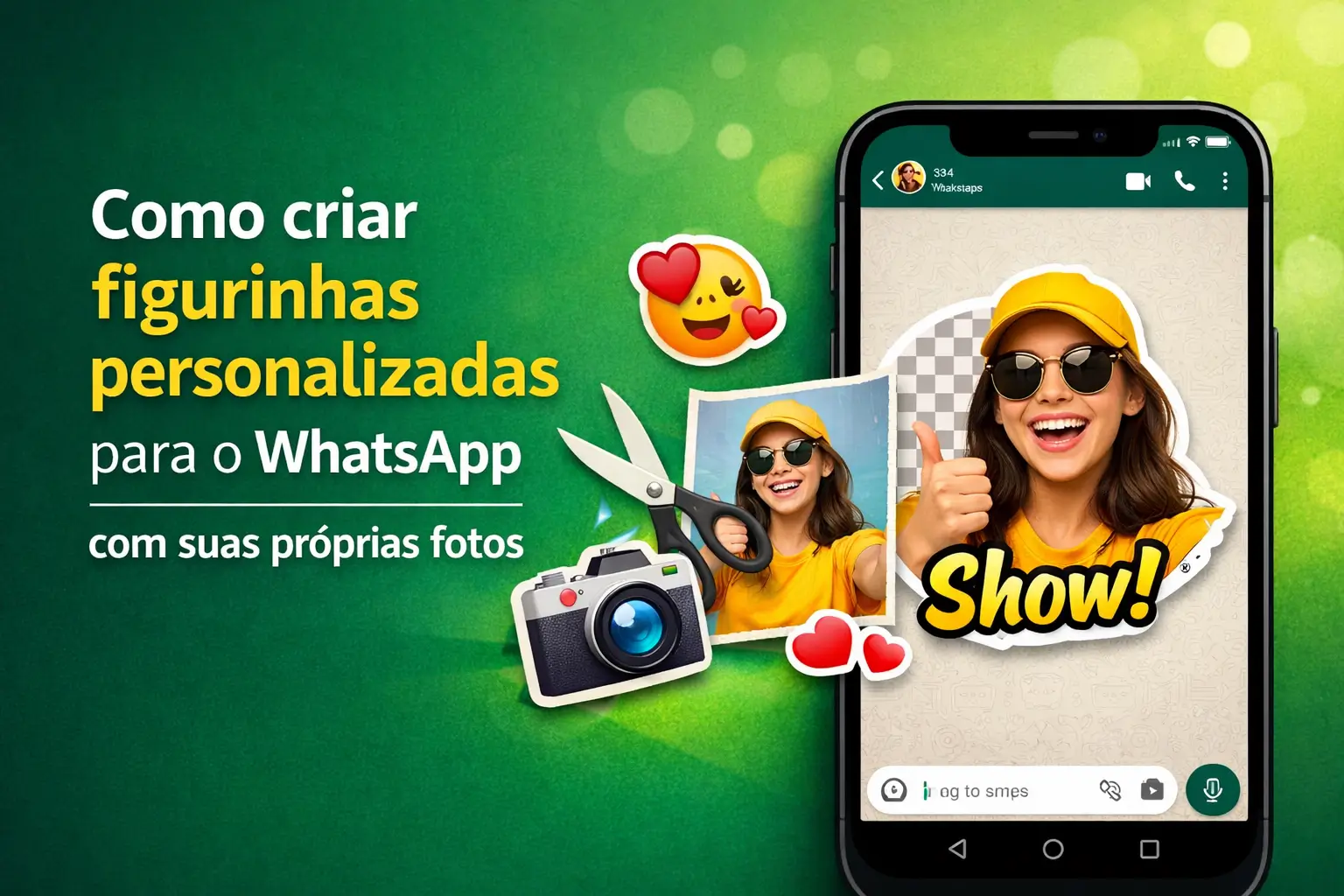
Want to turn your photos into WhatsApp stickers? Now you can do it right in the app, without having to install anything else.
In this complete guide, we will show you the step by step to create custom stickers, both with images and text, in a fast and safe way.
Prepare your photo gallery and we will bring your conversations to life today. Enough to always use the same stickers!
Why create your own figurines?
Figurines are more than images, they are a quick way to express emotions, inside jokes and reactions that plain text cannot capture.
Having your own stickers is like having a unique visual vocabulary.You personalize your conversations with the faces of friends, family or your pet.
This makes communication more fun, personal and authentic. A well-made sticker can be worth a thousand words and get a good laugh.
The easiest way: direct on WhatsApp
The best news is that WhatsApp itself now has an internal tool for this. No need to download third-party apps for the basics.
This native function allows you to turn any photo from your gallery into a sticker with a few taps. The feature works on Android, iPhone and even PC.
The great advantage is the practicality. You create and send the sticker on the same screen of the conversation, in an integrated and very fast way.
Step by step: Figurines with your photos on mobile
The process is simple and intuitive.Let's go to the practical guide to turn that funny photo into a memorable figurine.
- Open conversation: Join any chat, whether with a person or in a group.
- Access the stickers: Tap the emoji icon (the face) and then the sticker icon (a square with the tip folded).
- Start creation: Look for and tap the “Create” button or the “+” symbol (plus sign).
- Choose your photo: WhatsApp will open your gallery. Select the image you want to transform.
- Automatic magic: The app will remove the background from the photo by itself!It is a smart crop that works most of the time.
- Edit and customize: Now you can add text, draw on top or even put other stickers and emojis.
- Send and save: When you are satisfied, tap the send button. The sticker will appear in the conversation and will be saved forever.
Ready! The sticker is already part of your personal collection and can be used in any other WhatsApp conversation.
Gold tip: For background cropping to work best, choose photos where the person or main object is well focused and contrasting.
Creating figurines with text and artificial intelligence
A newer function allows you to create stickers just by typing a sentence. WhatsApp uses artificial intelligence (AI) to generate text-based images.
This is perfect for when you have a reaction idea but don't have the right image for it. AI creates an illustration for you right away.
See how easy it is to use this new tool.
- Go to the sticker area: Open a conversation and tap the sticker icon, as in the previous step.
- Start creation with AI: Tap “Criar” and you will see the option to use AI or “Generate with AI”.
- Describe your idea: Type what you want in the sticker.E.:“um programmer cat having coffee” or “um happy dog with dark glasses”.
- See options: Artificial intelligence will generate some sticker options based on your description.
- Choose and send: Tap the one you liked the most and send it. It will also be automatically saved in your collection.
This feature is still being released gradually. If it has not appeared to you, make sure your WhatsApp is up to date in the app store.
When to use third-party applications?
The WhatsApp tool is great for everyday life, but if you want more control and advanced features, specialized apps are still the way to go.
They are ideal for those who want to create animated figurines (GIFs), Make more accurate manual clippings or arrange your stickers into thematic packages.
Think of them as a professional toolkit for anyone who takes sticker art seriously.
The best apps to turbocharge your figurines
There are dozens of options in the app stores, but some stand out for their ease of use and the amount of features.
- Sticker.ly: It is the most popular, and for good reason.It allows you to create static and animated figurines, as well as having a huge library created by other users.
- Sticker Maker You select the image, crop it (with your finger or automatically) and export the package to your WhatsApp.
- Sticker Studio Another great option that offers text editing tools, cutouts of various shapes and the possibility to use the camera on the spot.
You create a “package of” stickers, add your creations to it, and with a tap, matter everything to WhatsApp.
Attention: These apps usually require creating a package with at least 3 stickers before allowing export to WhatsApp.
Security Alert: Beware of scams!
The popularity of figurines also attracts criminals.It is critical to be very careful not to fall into traps that can steal your personal data.
Scammers use the promise of “rare” figurines or “secret” packages as bait to install viruses or capture your information.
Follow these tips to protect yourself:
- Official sources always: Download applications only from Google Play Store (Android) or App Store (iPhone). Never from incoming links.
- Be wary of promises: WhatsApp does not distribute sticker packs by links or chains.News are announced on official channels.
- Check app: Before installing, look at reviews, the number of downloads and the name of the developer.Fake apps often have few reviews.
- Excessive permissions: A sticker app does not need access to your contacts, SMS or microphone. If you ask, deny and uninstall.
- Suspicious links: Do not click on links from unknown numbers promising stickers.It is a common tactic for phishing scams.
The golden rule is simple: if it sounds too good to be true, it is probably a scam. Use common sense and prioritize the security of your data.
Next steps: Organize your collection
Now that you know how to create, the next step is to organize. The figurines that you create or save are in your tray, ready to use.
You can go to the stickers section of WhatsApp and reorder your favorite packages, putting the ones you use most in front of you for easy access.
Do not be afraid to experiment. Create stickers for your group of friends, for family and to react to the news of the day. The limit is your creativity.
Get started right now! Grab that perfect photo in your gallery and follow our step by step to create your first exclusive sticker.
Maybe you might like: