Announcements
Realizing that the payment has not fallen or that the benefit has changed in My INSS can generate concern. But blocked, suspended, and ceased benefit do not mean the same thing ''and identifying exactly what happened is the first step in trying to solve.
Difference between blocked, suspended and terminated benefit
Although the terms seem similar, they indicate different situations.
- Benefit blocked: payment may be temporarily prevented by any pending, restriction or need for confirmation;
- Suspended benefit: it represents a temporary interruption while there is a situation to be regularized;
- Benefit ceased: indicates that the INSS considered terminated the right to that benefit.
📌 Blocking or suspension does not mean, by itself, that the benefit has been lost definitively.
Already a cessation it is more definitive. Depending on the case, it may be necessary to file an appeal, make a new application or follow another procedure indicated by the INSS.
The way to solve always depends on the reason registered in the system.
The main reasons for blocking or suspending the benefit
Exist different situations which may lead to a blocked or suspended INSS benefit.
Amongst the more common are:
- Outdated Cd, especially in BPC;
- change in family income;
- changes in family composition;
- divergences found in the data crossing;
- INSS requirement not met;
- absence of expertise, evaluation or summons;
- cadastral pendencies;
- problems related to biometrics, where applicable;
- review identifying possible loss of requirement;
- planned termination of temporary benefit;
- recovery of work ability;
- initiation of paid activity in situations affecting BPC.
⚠️ The fact that the payment has stopped does not reveal alone what was the cause.
Therefore, avoid trying a generic regularization without first consulting the official information.
How to find out the reason for the payment interruption
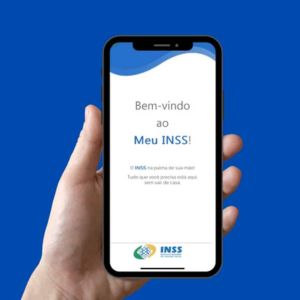
The first step is to access the My INSS.
Then check:
- the benefit situation;
- notifications available;
- the option “Consult Requests”;
- details of requirements or revisions;
- the payment statement;
- any demands or summonses.
It is also possible to consult by app:
If the cause is unclear, call Central 135.
📝 Write down protocols and save notifications, documents, and screenshots. This history can help if you need to prove when you took a certain action.
How to regularize the situation by My INSS
There is no single procedure for the full benefit of the blocked INSS.
The safest sequence is:
- find out the reason for the interruption;
- open and read the notification or decision;
- check if there is a deadline;
- to fulfill exactly the requested providence;
- save the vouchers;
- follow the analysis by My INSS.
Regularization examples
📄 If documents are required: send what was requested by the channel indicated.
👨👩👧 If the problem is in the Cadunico: update the registration in CRAS or post responsible for the Single Registry of the municipality and then monitor the situation by the INSS.
🩺 If there is expertise or pending assessment: follow the instructions received and show up on the scheduled date.
💰 If the problem is payment not received: search in My INSS the service corresponding to the situation or ask for guidance by 135.
⚖️ If the benefit has been terminated and you disagree: consult the decision and check whether there is a possibility of appeal or other dispute procedure.
Avoid opening any service just because it contains words like “” reactivation or “regularization”. Choose the procedure that corresponds to the reason effective interruption.
When documents will need to be submitted
The need for documentation varies depending on the problem.
The INSS can ask, for example:
- identification document;
- CPF;
- cadastral proofs;
- documents on income and family composition;
- information related to CadUnico;
- medical reports, examinations and attestations;
- Work Portfolio;
- proof of links or contributions;
- other specific documents indicated in the requirement.
🗂️ The INSS notification is the main reference to know what to deliver.
If the situation involves a termination that you consider incorrect, the documents should help demonstrate that the benefit requirements continue to be met.
Do not send random documents in an attempt to speed up the analysis. Prioritize exactly what was requested.
When to seek face-to-face service or call Central 135
A Central 135 it is especially useful when:
- the reason for the interruption does not appear clearly;
- you do not know which service you should request;
- there is doubt about a requirement;
- my INSS is unavailable;
- the benefit has disappeared from the system;
- payment did not return after regularization;
- you need to confirm if there is a need for face-to-face care.
☎️ According to INSS central 135 runs from Monday to Saturday, from 7am to 22pm, in Brasilia time.
In-person care may be required when:
- the INSS itself guide;
- there is expertise or face-to-face evaluation;
- certain procedure cannot be completed remotely;
- specific submission of documents is required.
📌 Before going to an agency, confirm by 135 if the face-to-face service is really necessary and if you need scheduling.
How long it takes for the benefit to be paid again
There is no single deadline. Time depends on factors such as:
- reason for blocking or suspension;
- type of benefit;
- need for documents;
- existence of expertise or evaluation;
- updating data on another system, such as CadUnico;
- possible appeal;
- INSS analysis time.
⏳ Regularizing the pending does not mean that the benefit will be released immediately.
No BPCfor example, update the Cadunic it can solve the cadastral pending, but it is still necessary to follow the processing by the INSS.
There may also be payment of amounts for the interruption period in certain situations.
This, however, should not be considered automatic.
if the benefit comes back and you believe that outstanding parcels were left, consult the payment statement and ask for clarification by 135.
How to follow the progress of regularization
After sending documents or fulfilling the requested measure, follow the process by My INSS.
The basic path is:
- enter My INSS;
- log in with CPF and password Gov.br;
- access “Consult Requests”;
- locate the procedure;
- select “Detalhar”.
Check also:
- new notifications;
- changes in status;
- additional requests;
- payment statement;
- eventual release of values.
📲 Do not just wait for the usual day of the deposit to find out if there has been any update.
If the system indicates a new requirement, comply with it within the time limit.

How to avoid new blockages in the future
Some care helps reduce the risk of further interruptions.
- ✅ Keep your data up to date the INSS;
- ✅ Update Cadunico within the applicable time frame and whenever there is a relevant change in the family;
- ✅ Periodically consult My INSS;
- ✅ Do not ignore notifications or summonses;
- ✅ Respond requirements within the deadline;
- ✅ Attend expert assessments and assessments when called;
- ✅ Keep the cadastral and biometric situation regularized, where applicable;
- ✅ Report changes in income or family composition the benefits that this data interferes with;
- ✅ Save protocols, documents and vouchers of the regularizations carried out.
🔔 Waiting for the payment to stop falling to consult My INSS can make the solution difficult.
The best way to deal with a blocked INSS benefit is to act from the registered cause: identify the pending, regularize by the correct channel and follow up until there is a new decision on the payment.