Announcements
A job that does not appear, a missing contribution or an incorrect remuneration can interfere with the analysis of your retirement consulting the CNIS and comparing the information with your professional history is an important care before placing the order to the INSS.
How to consult your CNIS and identify errors
O National Register of Social Information (CNIS) concentrates data from your social security life, such as employment ties, salaries and recorded contributions used by the INSS in the analysis of pensions and other benefits.
The consultation can be made free of charge by My INSS. See step by step:
- Access the my INSS Website or open the app;
- enter your CPF and the password of the gov.br account;
- in the field “Do you need?”, Search for “CNIS” or “DEPH contribution extract;
- select the corresponding service;
- view the information presented;
- choose the desired extract and download the PDF document.
📱 Download My INSS for Android
My INSS offers different versions of the extract. For a more detailed conference before retirement, the document of Social Security Relations and Remunerations it is especially useful because it brings together both the bonds and the registered values.
🔎 It is not enough to check if the names of the companies appear. Compare also periods worked, dates and remuneration with the documents you have kept throughout your working life.
If you got here after simulating your retirement in My INSS and manually included some link in the simulator, attention: this change does not correct the CNIS. It is only for that simulation.
The most important mistakes to look for in CNIS
When consulting the CNIS, some problems deserve special attention because they may interfere with the recognition of the contribution time or the information considered by the INSS.
Among the main ones are:
- absent employment: a job you had is not listed on the record;
- incorrect dates: admission or termination appears with a different date than the actual one;
- absent or divergent remuneration: the recorded value does not correspond to the history of that period;
- contributions that do not appear: attention especially to periods when you have collected contributions on your own;
- incomplete periods: only part of a particular link or history appears;
- incorrect registration data: differences in name, CPF, NIT, date of birth or other personal information.
The extract may also present indicators, with acronyms like PEXT, PVIN, PRPPS and IREC. They signal situations that may require attention, analysis or proof.
The presence of an indicator does not automatically mean that that period will be disregarded or that your retirement will be denied. The important thing is to identify what needs to be clarified and, when necessary, gather the corresponding documentation.
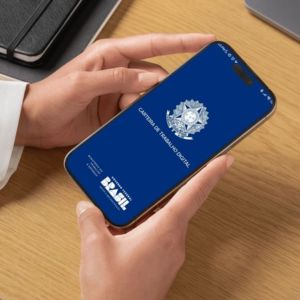
A practical way to check the registration is to put the CNIS side by side with your Work Portfolio, payslips, terminations and proof of collection.
Which documents can prove links and contributions
The documents required depend on the type of information that needs to be proven. Therefore, there is no single list that serves all policyholders.
📄 To employment links, documents such as: may be relevant
- Work Portfolio;
- employee record or record;
- paychecks or paychecks;
- termination term;
- other documents demonstrating the employment relationship.
📄 For whom he made contributions on own account, may be needed:
- pickup guides, such as GPS;
- proof of payment;
- documents related to social security registration, as appropriate.
Specific situations may require other recordsperiods of special activity, for example, may involve documents such as PPP and technical reports. Rural periods have their own forms of proof.
💡 Keep the original documents and when you need to send them digitally, make sure the files are complete and readable. Cut, blurred, or incomplete images can make analysis difficult.
How to correct bonds, remuneration and contributions
First, it is important to distinguish two kinds of problem.
If the divergence is in cadastral data, such as name, date of birth, marital status or other personal information, there is an update service by My INSS.
When the error involves bonds, dates worked, remuneration or contributions, the procedure is different.
in such cases, the insured may contact the Central 135 and request the service of Updating of Links and Remunerations.
After the application is opened, the order is available at My INSS for sending the necessary documentation.
It is at this moment that the documents gathered previously gain importance: they help to demonstrate to the INSS why certain information of the CNIS needs to be changed or supplemented.
After requesting the update, follow the progress by My INSS:
- log into your account;
- access “Consult Requests”;
- locate the application;
- check the progress;
- check if the INSS has requested additional documents or clarifications.
📌 Save protocol number and follow up the request until its completion.
O analysis time may vary according to the type of correction and the need for proof.Old links or situations that require more extensive document analysis, for example, may require additional steps.
What to do when a company has closed or the link does not appear
Finding out that a former employer has closed activities can cause concern, especially when the bond is also not properly listed in the CNIS closing the company, by itself it does not prevent the period from being analyzed by the INSS.
📁 The first step is search documents that you still own about that job.
They can be useful, as the case may be:
- Work Portfolio;
- employee registration form;
- termination term;
- paychecks;
- contracts;
- other documents related to the bond;
- decision of the Labor Court, when there is.
The older the period, the more important it may be to retrieve and organize the available documentation.
⚠️ Do not assume that the period is lost just because the company has closed. Likewise, just informing the INSS that you worked at that location may not be enough: recognition will depend on the analysis of the information and evidence presented.
If the link does not appear in the CNIS, but you have documents that demonstrate the working relationship, then gather this material and request analysis by the official INSS channels.

Do I need to correct the CNIS before applying for retirement?
The ideal is consult CNIS in advance, identify possible disagreements and gather the necessary documents before it comes time to apply for retirement.
This allows you to solve or at least understand any pending issues without discovering the problem only during the benefit analysis.
But find a mistake it does not automatically mean that you need to postpone the retirement application until you complete a separate fix.
Depending on the situation, documents and information may also be presented and analyzed during the application itself.What to do will depend on the type of disagreement and how it interferes with the recognition of your right.
🚨 The most important point is not to ignore relevant information that is missing or incorrect.
This is especially true for those who have already used the simulator. As we have seen, adding a period manually to simulate retirement in My INSS allows you to test a scenario, which is but it does not change the official social security record.
After consulting the CNIS and understanding which bonds, contributions and remunerations are registered, it is easier to move on to another important issue: how this information is used by the INSS to calculate the retirement amount.