Announcements
Many people search the internet how to access FGTS Digital from your mobile phone or download an application from the system, but ends up finding confusing information. The truth is that FGTS Digital works differently from the FGTS application used by workers.
How to Access FGTS Digital
✅ To access FGTS Digital, the user needs to enter the official system portal and log in using gov.br account (silver or gold level) or digital certificate.
🔗 Access the system here:
https://fgtsdigital.sistema.gov.br/portal/login
FGTS Digital is an online platform used primarily by companies, employers and accountants to manage FGTS collection.
Access through official portal
🌐 Access to the system is via the internet, in a fully digital environment.
Just enter the official FGTS Digital Portal and select option “Enter with gov.br”.
The system works directly in the browser, therefore can be accessed by:
- computer
- cellphone
- tablet
No need to install any programs.
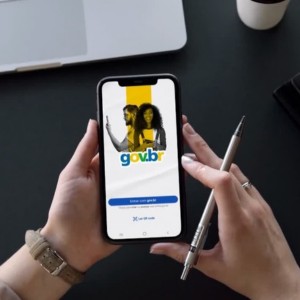
Login with gov.br account
One of the most common ways to access FGTS Digital is by using the gov.br account.
For this it is necessary:
- have active gov.br account
- possess silver or gold safety level
- login with CPF and password
This type of access is available primarily for:
- employer physical person
- legal responsible for CNPJ
- representatives linked to the company.
📌 After authentication, the system opens the FGTS Digital Homepagewhere you can manage company information.
If you don't have a gov.br account, then here's how to create yours in minutes.
Access with digital certificate
💻 Another way to access FGTS Digital is by using digital certificate.
This method is common for:
- companies
- counters
- accounting offices
- registered prosecutors.
Accepted certificates include:
- A1 ^^^file installed on the computer
- A3 token or card with chip
- cloud certificate
📌 This type of authentication is often used when access is done on behalf of a company.
Access by mobile
📱 Yes, it is possible to access FGTS Digital by mobile.
As the system is 100% web, enough:
- open the mobile browser
- access the official portal
- login with gov.br or digital certificate
⚠️ ATTENTION! The system does not have its own application, so access will always be done by the browser.
How to download FGTS app on mobile
here there is a very common confusion: There is no FGTS Digital app.
The available application is the box FGTS App, used by workers to consult information from the guarantee fund.
It allows:
- check FGTS balance
- verify extract
- track deposits
- request withdrawal
- update cadastral data.
👉 Download app FGTS Android: The official app for Android phones can be downloaded at Google Play.
👉 Download FGTS iPhone app: IPhone users can download the app from the App Store.
📲 The installation process is simple:
1️⃣ Access the mobile app store
2️⃣ Search for FGTS
3️⃣ Check if the developer is a Federal Economic Box
4️⃣ Click Install
5️⃣ Open the app and log in with your account gov.br
Difference between Digital FGTS and FGTS application
Understanding this difference avoids many mistakes.
💻 O FGTS Digital it is a system aimed at companies & employers, used for:
- generate collection guides
- manage FGTS obligations
- consult debits
- make payments.
📲 Already the FGTS app is turned to workers. It serves to:
- consult balance
- track deposits
- request withdrawals
- check extracts.
👉 In summary:
- FGTS Digital: management of the collection by companies
- FGTS app: consultation of the balance by the workers
Common problems when trying to access
Some difficulties are frequent when the user tries to find out how to Access FGTS Digital.
Among the most common problems are:
🔐 Gov.br account with low level
The system requires a level silver or gold.
💻 Invalid or expired digital certificate
This prevents authentication to the system.
🏢 CPF not linked to the CNPJ of the company
The person responsible must be registered at the Federal Revenue Service.
🌐 Browser error or blocking of cookies
Some outdated browsers may cause login failures.

Tips to access more easily
Some simple practices can prevent problems when accessing the system.
✔️ Check the gov.br account level before you try to get in
✔️ Use updated browserslike Chrome or Edge
✔️ Confirm that the digital certificate is valid
✔️ Always access the official FGTS Digital portal
✔️ Avoid links received by email or social networks
These measures help ensure secure and error-free access.
Now that you know how to access FGTS Digital, it is easier to understand how the system works and avoid confusion with the FGTS application used by workers.
