Announcements
Create account gov.br it is the first step to access various digital public services without having to go to a face-to-face service. With a few minutes and only the CPF, it is possible to install the application on the mobile, register and start using services such as My INSS, digital work portfolio and unemployment insurance.
How to download the gov.br application on mobile
📱 The first step to creating the account is to install the official government app.
Follow step by step:
1️⃣ Access the app store on your mobile phone
- Android:
https://play.google.com/store/apps/details?id=br.gov.meugovbr - iPhone (iOS):
https://apps.apple.com/br/app/gov-br/id1506827551
2️⃣ Or search for “gov.br”, if you prefer to search manually in the store.
3️⃣ Tap “Install” and wait for the download.
⚠️ Always check to see if the app is the official one of the federal government before installing.
After installation, the app is ready to start creating the account.
How to create a gov.br account through the application
👤 Registration can be done in a few minutes directly by mobile.
See the basic process:
1️⃣ Open the gov.br application
2️⃣ 🪪 Inform your CPF on home screen.
3️⃣ 📋 Confirm your personal data when the system requests.
4️⃣ 🔐 Create an access password to enter the account.
during the process, the system may ask for confirmation of some personal information to validate your identity.
After that, it will be necessary activate the account using a valid contact, which can be:
📧 E-mail
📱 Cell phone number
One verification code it will be sent to confirm the registration.
✔️ After entering the code and creating the password, the account is ready for use.
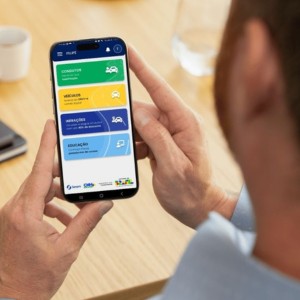
How to confirm your identity in the app
🔒 Some registrations require one extra verification step to ensure that the account actually belongs to the user.
Among the most common forms of validation are:
validation by facial recognition
The app can request a facial recognition using the camera of the cell phone.
During the process, the system may ask for:
- position your face on the camera
- blink your eyes
- smile or move your face
These steps help confirm your identity by comparing the image to official databases.
validation by bank
Another option is to validate the data through the internet banking of accredited banks.
In this case:
- you enter the bank system
- confirms his identity
- and the gov.br account is validated automatically.
What you need to create a gov.br account
📋 Before starting the registration, it is important to have some basic items.
To create the account, you usually need:
🪪 Valid CPF on the basis of the Federal Revenue
📱 Mobile phone with internet access
📧 Active email or phone number
🔐 Create a password to access the account
according to government guidelines, any Brazilian or foreign citizen who has CPF can create a gov.br account.
💡 The email or phone is required to activate the account and ensure the security of access.
Once created, just use CPF and password to enter the platform.
Common errors when creating gov.br account
⚠️ During registration, some problems may prevent the account from being created.
The most common are:
CPF already registered
That means that an account has been created before for that CPF.
In this case, the ideal is to try recover password of existing account.
❗ Failure to validate identity
It can happen when:
- the data reported does not match the official records
- the system cannot validate the information automatically
In this situation, the system usually offers other confirmation methods.
❗ Problem with facial recognition
Facial recognition can fail for reasons such as
- bad lighting
- low quality camera
- incorrect positioning of the face
📱 Tip: Try to perform the process again in a well-lit environment and with the cell phone stable.

Is it possible to create gov.br account without the application?
💻 Yes. It is also possible to start the registration through the official website:
On the website, the process begins by informing the CPF and accepting the terms of use.
in some cases, the system generates a QR Code for validation in the gov.br application, which allows to carry out steps such as facial recognition.
📱 So even if the registration starts on the computer, the app remains important to complete some security checks.
Creating a gov.br account on mobile is a simple and fast process. Once completed, the user has access to a number of digital government services using only CPF and password, without having to create several different registrations.
