Announcements
If your CNH Digital data is out of date, the problem is not always in the app. Know how to update CNH Digital correctly avoids divergences between Government systems, reduces synchronization errors and ensures that your document reflects the latest information.
Where to update each CNH Digital information
One of the most common doubts is to believe that all changes can be made directly in the CNH app of Brazil. In practice, each piece of information has a different origin.
📌 Before updating any data, it is important to identify which body is responsible for that information.
Generally:
- Account email and phone: should be updated on the Gov.br.
- Name, surname, affiliation and address: usually depend on the update next to the Detranates responsible for issuing CNH.
- Renewal, category change and second way: require a new CNH for the digital document to be updated.
The app CNH of Brazil just consult the official bases. Therefore, changing a data in the wrong system will not make the information appear in CNH Digital.
How to update residential address
If you have changed your address, the update should normally be requested with the State where your CNH was issued.
Each Detran has its own rules. In some states the procedure may be performed over the internet; in others, it may be necessary to attend a care unit.
After the registration is updated in the Detran database, the change may be reflected in the CNH Digital as the processing of the agency.
⚠️ Attention: take the opportunity to check if as well the email and phone number registered with Detran are up to datemany Detrans use these contacts to send notices about CNH expiration, renewal processes, fines, and other services.
Best practice is to use the same email and the same phone number on both Gov.br and Detran. This helps keep records synchronized and reduces the risk of missing important communications.
How to change first name, last name or affiliation
Changes to civil data, such as first name, last name or affiliation, usually occur after marriage, divorce or court decision.
📝 In these situations the procedure must be performed with Detran, which will update the official records of the National Driver's License.
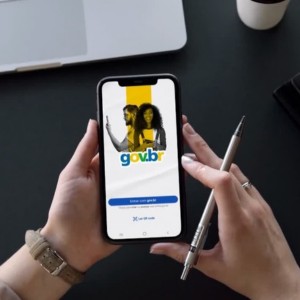
Already the e-mail and the phone used to access the digital services of the Government are changed in the account Gov.br.
Step by step is simple:
- Access https://accesso.gov.br/ or the app Gov.br.
- Log in using CPF and password.
- Enter Change of Cadastral Data.
- Update email or phone.
- Confirm the change using the code sent by email or SMS.
📲 Gov.br Application:
- Android: https://play.google.com/store/apps/details?id=br.gov.meugovbr
- iPhone (iOS): https://apps.apple.com/br/app/gov-br/id1506827551
Always use official channels to protect your personal data.
When it is necessary to issue a new CNH
Not every cadastral update requires a new driver's license.
On the other hand, some changes only appear in the digital version after the issuance of a new CNHas in the case of:
- renewal;
- category change;
- second-track emission;
- other changes that result in a new physical document.
After receiving the new CNH, do the synchronization in the CNH application of Brazil:
- Open the application and log in with your Gov.br account.
- Delete the old document if it is still saved.
- Choose the option to add or re-download the CNH.
- Enter the license number and security code printed on the new wallet.
- Wait synchronization.
CNH Brazil Application:
- Android: https://play.google.com/store/apps/details?id=br.gov.serpro.cnhe
- iPhone (iOS): https://apps.apple.com/br/app/cnh-do-brasil/id1275057217
✨ This procedure causes the application to display the latest version of your enablement.
How long it takes for the update to appear in the app
Anyone who wants to update CNH Digital typically expects the change to appear immediately. However, this depends on the type of information modified.
Changes made to the Gov.br account and updates made by Detran they follow different processing flows.
In many cases, synchronization happens shortly after the procedure is completed. Changes that depend on Detran may take longer to be reflected on the official basis.
⏳ There is no single deadline valid for all states.
If the change involved issuing a new CNH, remember to resync the document in the app.
The update did not appear: what to do
If you have followed all the steps to update CNH Digital and the information does not yet appear, do some checks before seeking care.
Check if:
- the change was made to the correct organ (Gov.br or Detran);
- the new registration has been successfully completed;
- e-mail and telephone were duly validated on Gov.br;
- the contact data registered in Detran are also updated;
- you are using the same Gov.br account linked to your CNH;
- the app CNH of Brazil is updated;
- the synchronization was redone when a new CNH was issued.
If, even after these checks, the problem continues, the guidance is to contact the Detran responsible for issuing your license, because there may be some cadastral divergence that depends on the analysis of the organ.
📌 Keeping data up to date on both Gov.br and Detran makes it easier to sync CNH Digital and helps prevent problems accessing the electronic document.
In addition, you continue to receive important communications sent by Detran in the registered contact channels.