Announcements
Asking for BPC does not start at the“ buttonNew” request: Outdated cadavers, incorrect data or biometrics pending may disrupt the application. See how to prepare and request the BPC/LOAS by My INSS & which alternatives exist for those who have difficulty with internet.
How to order BPC/LOAS in 2026
The application for the Continuing Provision Benefit (CPB) is gratuitous and it can be done by the interested party or by his legal representative.It is not necessary to hire intermediaries to submit the application.
The main digital channel is the My INSS, by the website or application. In it, there are different services for:
- Assistance Benefit for the Elderly, for those who are 65 years or older;
- Assistance Benefit for Persons with Disabilities, for disabled persons of any age.
📱 Can't place the order over the internet? Central 135 is an alternative.
According to the official government service, if face-to-face care is required, it is possible to schedule it by 135 or seek a unit that has an agreement with the INSS in the region.
The CRAS can also guide on the criteria of the BPC, CadUnico and application process.
What to check before you start the request
Before applying for BPC/LOAS, some conferences may prevent a problem from being discovered only during the application.
Check mainly:
- if the Cadunico family is updated;
- if all members of the family have CPF registered in Cadunico;
- whether the income and family composition information is correct;
- if the requirement of biometrics was attended to;
- if phone and email are up to date;
- if you have the necessary documents for your case;
- in the BPC of the person with a disability, medical documentation and other records are available to help demonstrate the condition and its impacts.
💡 It is worth making these checks before opening the order. The INSS uses information from different bases to analyze the right to benefit, including data from the Single Registration.
Cadunico: how to know if the registration is updated before the order
The family registration no Single registration is mandatory to receive BPC.
The registration must have been updated for a maximum of 24 months, and must contain the CPF of the members of the family group.
You can consult your data in the official portal:
Beyond the two-year deadline, do not wait for this period to end if there are important changes. Changes in address, income or family composition, for example, should be reported.
The official manual of the INSS shows that, during the application, My INSS can identify the inexistence of the CadUnico or inform that it is outdated. In these situations, the guidance is to look for the CRAS or post responsible for the Single Registry in the municipality to regularize the data.
⚠️ Updating your contact details in My INSS does not mean updating CadUnico. They're different cadastres.
Compulsory biometrics in 2026: what to check before ordering the BPC
A biometrics is one of the current requirements for BPC. Therefore, this question must also be checked before the request.
The rule provides for biometric registration in the National Identity Card (CIN) or, temporarily, on other bases admitted by the government.
The official guidance is that if the person does not already have a document with biometrics, give preference to the issuance of CIN.
In situations where it is not possible to make the biometric registration of the interested party, the requirement may fall on its legal guardian, according to the applicable rules.
📌 Regularizing biometrics in advance reduces the risk of discovering this pending when the application is already in progress.
How to request BPC by My INSS step by step
The system flow can receive updates, but the official procedure is simple. The INSS manual shows the steps from the entry with the gov.br account to the order confirmation.
📱 Access or download My INSS:
👉 Download My INSS for Android (Google Play)
👉 Download My INSS for iPhone (App Store)
To request the BPC/LOAS by My INSS:
- Access My INSS through the website or application using one of the links above.
- Select “Enter with gov.br”.
- Enter your CPF, go ahead and enter the password of the gov.br account.
- In the field “Do you need?”, look for the care benefit corresponding to your case.
- Select Assistance Benefit for the Elderly or Assistance Benefit for Persons with Disabilities.
- Check your contact details and make the necessary corrections.
- Read the information presented by the system and authorize the use of the CadUnico data when requested.
- Check out the information about the family group and answer the questions presented.
- Fill in the other requested data and attach documents when the system asks.
- Please review the information carefully before confirming.
- Complete the application and save the application data for follow-up.
If screens appear on expenses that compromise family income and that are not provided by the Public Power, respond according to your situation and present the requested vouchers when applicable.
⚠️ Do not automatically advance through the screens. Information about the family, income and situation of the applicant will be used in the benefit analysis.
What documents may be required to apply for BPC
According to the official government service, identification documents must be available for the person requesting the benefit and for family members living in the same house, such as:
- RG, CIN, CNH or CTPS;
- CPF.
When there is a representative may also be necessary:
- identification document and CPF of the representative;
- power of attorney or according to the INSS model, where applicable;
- term of guardianship, trusteeship or custody, as the case may be.
Data on family composition are also obtained through the CadUnico.
📄 Other documents may be requested depending on the situation. It is therefore important to follow up on the application even after submitting it.
The government also informs that simple copies of documents can be accepted in the application, although the INSS can request the originals if there is any doubt.
Reports, examinations and reports: what to present in the GCP of the person with disabilities
In the BPC of the person with disabilities, medical diagnosis alone does not determine the right to benefit. The deficiency is verified by biopsychosocial assessment, which considers long-term impediments and the barriers faced by the person.
Therefore, it is recommended gather documents that help demonstrate the condition and its repercussions, how:
- medical reports and reports;
- tests related to the condition;
- prescriptions for continuous use medicines, where relevant;
- follow-up reports and therapies, such as physical therapy, speech therapy, or occupational therapy, where applicable.
A helpful medical report can identify the condition, describe the functional impediments and limitations, indicate how long they have been around and bring identification and signature of the professional.
🩺 More important than accumulating documents is to present information that really helps to understand the impediments faced by the person.
The biopsychosocial evaluation will be done by the responsible professionals. Therefore, the no particular report, in isolation, guarantees the concession BPC.
Errors in the BPC request that may generate demand or rejection
Some problems may result in the need to present additional information or impair the analysis.
they deserve attention:
- Cadunico outdated or with incorrect family composition;
- divergences between information provided and data in official records;
- lack of CPF of the members in the CadUnico;
- biometrics-related pendency;
- outdated phone or email, making it difficult to contact;
- incorrect or incomplete filling in of the requested information;
- fail to attach a document requested by the INSS;
- not to meet one requirement within the informed timeframe;
- in the case of the disabled person, provide documentation that does not adequately clarify the impediments and their duration.
📌 Receiving a requirement does not mean that BPC has already been denied. It means that the INSS needs some information or document to continue the analysis. Therefore, following the process after the protocol is an important part of the request.
How to follow the BPC request by the CPF
After sending the request, it is not enough to just wait for a response. The follow-up can quickly reveal if the INSS has opened any requirements.
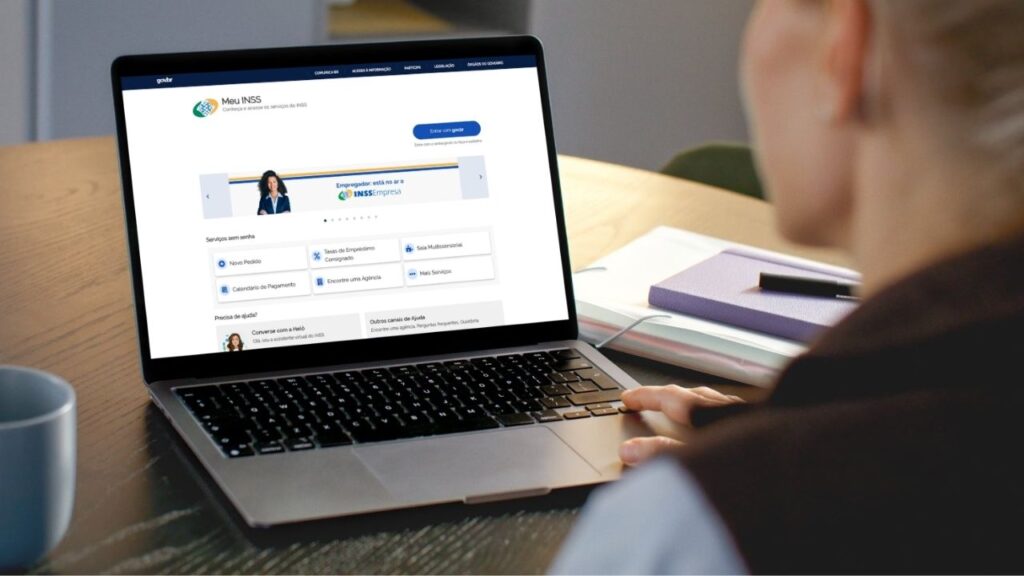
In My INSS:
- enter with your CPF and password gov.br;
- access “Consult Requests”;
- locate the application;
- open “Detalhar” to check the available information.
The INSS manual shows that the application may appear, among other situations, such as “In” review, “Completed”, “In” requirement or “Canceled”. The “Detalhar” option presents more information about the process.
those who have difficulty following the internet can also search for information by Central 135.
Follow-up is especially important when a requirement arises: ignoring a request for a document or information may compromise the progress of the application. Therefore, after requesting the BPC, periodically consult the situation until the INSS completes the analysis.