Announcements
Brazilian identity can already be on your mobile phone. With nova National Identity Card (CIN), it is possible to access the digital version of the document directly in the government application. The novelty simplifies the identification in various situations of everyday life and brings more security with technologies such as QR Code and biometrics.
How to apply for RG Digital
📲 The process to have digital identity is simple and can be done in a few minutes on mobile. For this, it is necessary to already have the National Identity Card (CIN), which contains the QR Code used for activation of the digital version.
See how to request RG Digital step by step:
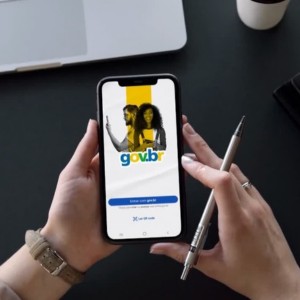
1️⃣ Download GOV.BR app
The app is available for free for Android and iOS.
- Android: https://play.google.com/store/apps/details?id=br.gov.meugovbr&hl=en_BR
- IOS: https://apps.apple.com/br/app/gov-br/id1506827551
2️⃣ Log in to your GOV.BR Account
If you don't already have an account, you'll need to create one. Here's how to create your account in minutes.
3️⃣ Access the “My documents” area
Inside the app, look for the option Document wallet.
4️⃣ Add a new document
Tap the button “+” and select National Identity Card (CIN).
5️⃣ Scan the QR Code of CIN Physics
📷 The code is located on the back of the new identity.
6️⃣ Do facial recognition
The app will ask for a facial validation to confirm your identity.
7️⃣ Create an access password
🔐 Define an Four-digit PIN to protect the document on the mobile phone.
✔️ After completing these steps, digital CIN will be available in the app and can be accessed whenever necessary ^ even without internet, because it is stored on the device itself.
📌 Important: who still owns only the Old RG can also request Digital RG, but first it will be necessary to issue a new National Identity Card (CIN) at your state identification institute.
Only after receiving the physical CIN is it possible to activate the digital version in the GOV.BR application, Using the QR Code present in the document.
Who can have RG Digital
👥 Virtually all citizens can issue the new Brazilian identity.
A National Identity Card (CIN) can be requested by:
- natal brazilians
- naturalized brazilians
- brazilians born abroad
- portuguese with equal rights in Brazil
It is also possible to request the document in different situations:
first identity of children
🪪 people who have RG old
citizens who want voluntarily update the document
📌 Important: it is not necessary to wait for the old RG to win to issue the new identity.
In case of under 16 years, some additional rules apply:
- they must be accompanied by legal responsible
- the responsible must present document with CPF
During the issuance, the identification institute also performs biometric collection, such as fingerprints and face photo.
Necessary documents
📄 Before requesting the new document, it is important to know what information may be required.
To issue a National Identity Card (CIN), it is usually necessary to present:
- birth certificate or marriage
- CPF
- responsible person's document (for minors)
- presence at State Identification Institute
During the service are also collected:
🖐️ fingerprints
📷 biometric photo
✔️ After the physical CIN is issued, you can follow the process explained above to request the RG Digital and activate it on the mobile.
Brazilian legislation states that the first route of CIN on paper is free.
Common errors when requesting RG Digital
Some simple situations may prevent the activation of the digital document.
See common errors when trying to request RG Digital:
❌ Not having the new National Identity Card
The digital version can only be activated after the issuance of the physical CIN.
❌ Trying to scan the wrong QR Code
The code required to activate the document is on the verso of identity.
❌ Not having an account at GOV.BR
The application requires login to add documents.
❌ Facial recognition problems
Dark environment or low quality camera can make validation difficult.
in most cases, repeating the process in a well-lit place solves the problem.
📲 Understanding how to request RG Digital is the first step to taking advantage of the new National Identity Card (CIN).
With the identity available on mobile, it is easier to identify yourself in travel, public services and various everyday situations.
