Announcements
Want to know if the benefit has been approved, when it will be paid or what amount you will receive? It is possible to consult the INSS benefit by the CPF free of charge by My INSS. See the step by step and understand the main information displayed.
What is needed to consult an INSS benefit
To make the consultation on the internet, you basically need:
- CPF;
- password account Gov.br;
- mobile phone, tablet or computer with internet access.
The consultation can be made by site My INSS or hair official app:
Information can also be obtained by Central 135, especially when the system is unavailable. The service informed by the INSS works from Monday to Saturday, from 7am to 22pm, in Brasilia time.
🔐 Attention: your Gov.br account password is personal. Do not share this data with third parties to make a query.
Step 1: How to access My INSS
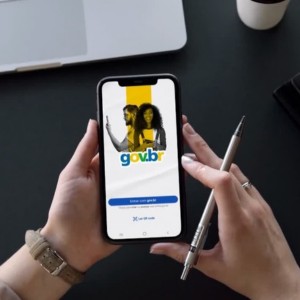
The first step to consult INSS benefit by the CPF is to enter the My INSS.
The process is simple:
- Access the my INSS Website or open the app;
- choose the option to sign in with the Gov.br account;
- inform your CPF;
- enter your password Gov.br;
- wait for access to the home page of My INSS.
if you prefer to use your mobile phone, make sure to install the official app My INSS available on Google Play and App Store.
Always check the CPF used at login, especially if the device is also used to access someone else's Gov.br account.
Step 2: How to locate your benefit
Once you enter My INSS, the path depends on the information you seek.
To accompany an order
If you have requested a benefit and want to find out how the process is:
- access My INSS;
- look for option “Consult Requests”;
- locate the desired application;
- select “Detalhar”.
It is in the details that you will be able to find important information about the progress of the request.
To consult information of a benefit
The INSS also offers the Benefit Information Extract, available for both active and inactive benefits.
To issue:
- enter My INSS;
- locate field “Do you need?”;
- type “Disadvantage information”;
- select the corresponding service;
- download document.
📄 The document is automatically generated it can be downloaded at the time of the request.
How to consult the situation of the benefit
Before interpreting the result of the consultation, it is important to differentiate request de benefit.
One request is the request that is still going through or has gone through the process of analysis of the INSS. O benefit is the right recognized and granted by institute.
To track the status of a request:
My INSS ia Consultar Orders ida Choose the application 2 Detail.
🔎 Read the details of the process, not just the summary information displayed on the screen. This is where updates or INSS requests can appear.
If there's one requirement, for example, means that the institute needs some information or documentation to continue the analysis.
in this case, check exactly what was requested and the deadline indicated. Ignoring a requirement may impair the examination of the application.
If you can not consult the situation over the internet, another option is to call the Central 135.
How to check the date of the next payment
If the benefit is already being paid, it is possible to check the date by My INSS.
One way is to consult the monthly benefit statement, which gathers information related to payment.It is also possible to use the benefit number to consult the INSS payment calendar.
The number has ten digits, normally presented in this format:
123456789-0
📌 To identify the corresponding track in the calendar, note the last number before the check digit.
In the example above:
123456789-0
The number considered would be 9.
➡️ Check out the complete INSS payment calendar for 2026.
📅 As dates vary according to the payment calendar, always consult the information corresponding to the period you want to check.
How to check the amount that will be received
The value of the benefit can also be consulted by the INSS digital channels.
Access the My INSS through the website or app and look for the payment information for your benefit.
O payment statement allows you to check the amounts related to the monthly payment.
💰 Do not look at the amount deposited into the account. The statement is the appropriate document to check the payment information and understand the amounts registered by the INSS.
Information can also be sought from Central 135. In this service, the beneficiary must inform the CPF and confirm the registration data requested.
If you need to understand each statement information in detail, it is worth consulting the document before comparing the payment with previous months.
How to interpret the status of the benefit
The information displayed by My INSS depends on the stage at which your request or benefit is.
Some situations deserve attention:
- ⏳ Request under review: the application is still being analyzed by the INSS;
- 📄 Requirement: it is necessary to verify the details, as the INSS is requesting information or documentation to continue the analysis;
- ✅ Benefit granted: the application was recognized by the INSS;
- 🔎 Active or inactive benefit: this information indicates the registration status of the benefit and can also be included in the Benefit Information Extract.
Messages may vary depending on the service and the progress of the process.
⚠️ Do not make a decision based on a word displayed on the screen. Open the order details to check the available information and any INSS guidelines.
If in doubt about the meaning of the situation presented, please contact us at 135.
What to do when the benefit does not appear
Not finding the benefit in My INSS can cause concern, especially when it appeared normally in previous consultations the disappearance of the information on the screen alone does not allow us to conclude that the benefit has been canceled.
Before taking any action, do some checks:
- 👤 Check out the account Gov.br: check if you have entered with the correct CPF;
- 🔄 Update the application: check if you are using the latest version of My INSS;
- 🌐 Try another channel: if the problem is in the app, go to the My INSS by browser;
- 🔎 Access “Consulting REQUESTS”: if the application is recent, look for the process in that area;
- 📄 Seek the Beneficiary Statement: search in My INSS for the beneficiary declaration service, known as “consta/nothing appears”;
- ☎️ Call 135: ask for confirmation of the existence and status of the benefit.
If the INSS confirms that there is an inconsistency that has not been resolved by the service channels, it may be necessary to follow the guidance received for face-to-face care or registration of the occurrence.
In case of persistent technical problem, there is also a official platform Fala.BR, used for ombudsman demonstrations and access to information.
📝 Keep evidence of the problem. Screenshots with the error message, related documents, and attendance protocols can be helpful if you need to record the occurrence.
When using Fala.BR, also save the Single Protocol Number (NUP) provided to accompany the demonstration.

Main errors during the consultation and how to avoid them
Even knowing how consult INSS benefit by CPFsome errors can make it difficult to access information or cause misinterpretation.
❌ Entering with the wrong CPF:
On shared devices, check which Gov.br account is connected before looking for the benefit.
How to avoid: check the CPF used at login and access only the account holder.
confuse request with benefit granted:
Having a registered application does not mean that the benefit has already been approved.
How to avoid: enter “Consult Requests” and open “Detalhar” to check the progress.
Ignore a requirement:
A requirement indicates that the INSS needs additional information or documents.
How to avoid: open the details of the process and check what was requested and the deadline informed.
Conclude that the benefit was cancelled because it disappeared:
The temporary absence of information on the website or application may be related to an inconsistency or access problem.
How to avoid: try to access the website and application and confirm the situation by Central 135 before concluding that there was a cancellation.
❌ Query the calendar with the wrong number:
To identify the date by the calendar, the last benefit number before the check digit.
How to avoid: note the full structure of the number before looking for the corresponding date.
using unofficial channels:
Links sent by messages, ads or pages that mimic public services can put your data at risk.
How to avoid: give preference to the official address meu.inss.gov.br and official applications.
❌ Share the password Gov.br:
Your Gov.br account allows access to different public services and contains personal information.
🔐 Never give your password to strangers to make an INSS” query in your name.
Consult the benefit is free and can be done directly through official channels. If you find unexpected information, check the details in My INSS and, when necessary, use Central 135 to clarify the situation.