Announcements
If your CNH doesn't appear in the app or you can't access the document, the problem is almost always with the rules for using IT and not with the app.
Who can use CNH Digital in the CNH app in Brazil
Not every driver can access CNH Digital immediately and this generates a lot of doubt.
To use the digital version of the enablement, you need to meet some basic criteria:
- have CNH valid and regular
- have a document with QR Code (issued from May 2017)
- have an active account in gov.br
These are the minimum requirements for the system to recognize your enablement in the application.
In addition, Brazilians and foreigners with CNH registered in Brazil can use the app, provided that the data is correct.
What is CNH Digital and how it works
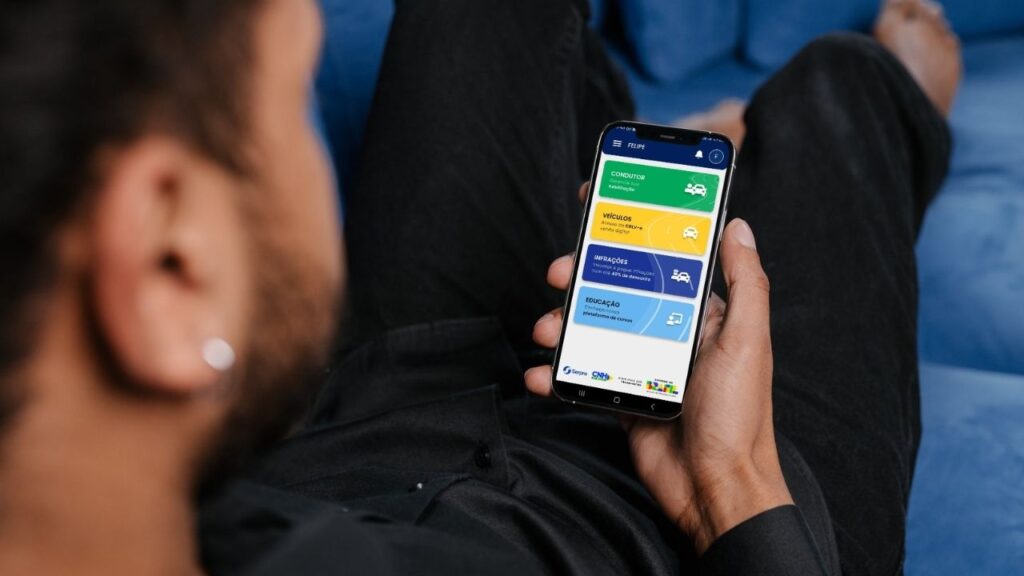
CNH Digital is the electronic version your driver's license, available on mobile.
She's got the same legal value as the printed version and can be presented normally in inspections.
In practice, it works like this:
- the document is stored in the CNH app of Brazil
- can be accessed with security password 🔐
- it remains available even no internet, after download
That is, you no longer need to load the physical document on a day-to-day basis as long as the phone is working.
How to make CNH Digital in the CNH app in Brazil
📲 To make CNH Digital, it is necessary to activate the document within the application. Before you start, download the official app:
👉 Android: https://play.google.com/store/apps/details?id=br.gov.serpro.cnhe&hl=en_BR
IOS: https://apps.apple.com/br/app/cnh-do-brasil/id1275057217
Now follow the step by step:
1️⃣ Open the app and log in with your gov.br account
2️⃣ Tap “Conductor” on home screen
3️⃣ Access “Habilitation”
4️⃣ Follow the instructions for validation
During the process, the system may request:
- CNH QR Code Reading
- facial recognition
- confirmation of data as ZIP code
if everything is correct, CNH Digital will be released in the application.
Requirements to activate CNH Digital
In addition to the basic criteria, activation depends on a few important points.
You need to have:
📋 updated data in Detran (email, phone and ZIP code)
📋 access to the gov.br account
mobile phone with camera working
These elements are used to validate your identity and ensure security in the process.
When CNH does not appear in the app
If you followed the steps and still could not access, there are some common causes.
Check if:
your CNH has QR Code
📌 the data is up to date
your gov.br account is correct
validation has been completed
In most cases, the problem is in registration inconsistencies 'NOT in the app.
What it means when CNH does not validate
When CNH does not validate this does not mean that your document is invalid.
👉 Most of the time, it just means:
- the data does not match the official base
- validation was not completed correctly
- or there's some cadastral pending
The Senatran system needs to ensure that the digital document is linked to the right person.
How to fix registration problems
📋 Outdated data they are one of the biggest causes of error.
To correct:
- check your registration in the gov.br
- update email and phone
- check if the name is the same as the Federal Revenue
🔗 Access: https://accesso.gov.br
📢 Stay tuned: Small differences in the data are enough to block validation.
What to do when the data does not
🔍 If divergence error appears, then ideally, compare your information with the ones recorded in Detran.
You can use the official portal to validate your CNH:
🔗 https://portalservicos.senatran.serpro.gov.br/#/home
Path:
- login with gov.br
- access driver area
- click on “Validar CNH”
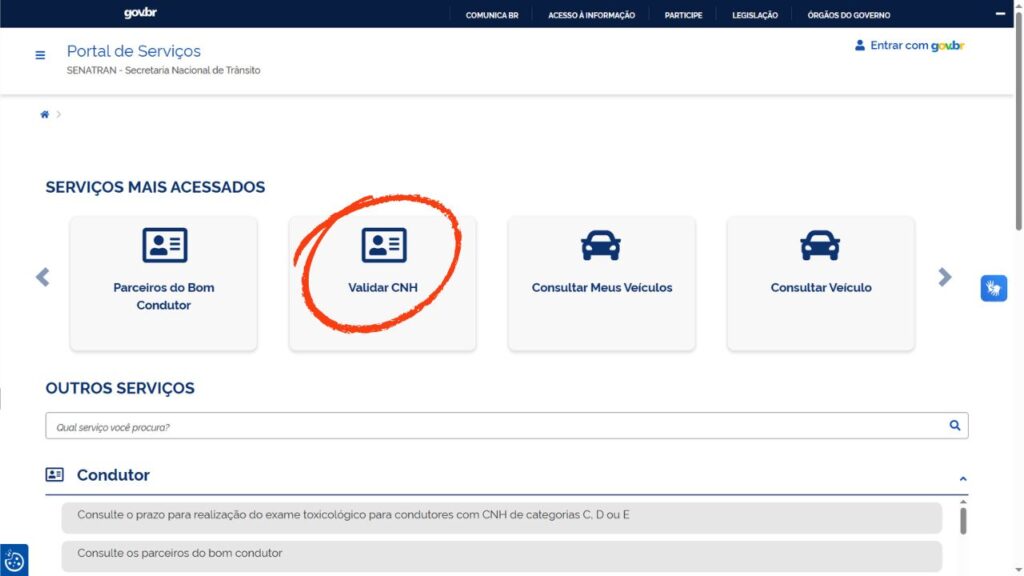
It will be necessary to inform:
- CPF
- CNH number
- security code
📌 This query shows exactly what data is logged and helps identify where the error is.
How to resolve CPF or document error
CPF problems are critical in the process.
Check if:
- the CPF is regular in the Federal Revenue
- no divergence of data
- you are using the correct account on gov.br
❌ Important: An irregular or inconsistent CPF can completely prevent validation.
Difference between activating and downloading CNH Digital
that difference still confuses a lot of people.
- Enable CNH Digital: validate your data to release the document
- Download CNH: access the document already released in the app
📌 Without activation, you cannot access CNH in the app.
Tips to use CNH Digital without problems
Some practices help avoid errors in the use of the app:
keep your data up to date
review your registration on gov.br
use good lighting in facial validation
💡 keep the app up to date
These simple precautions solve most of the difficulties.
if nothing works, the ideal is to seek official help. You can:
- contact Senatran support
- search the Detran where your CNH was issued
Understanding who can use and how CNH Digital works in the CNH app in Brazil is what prevents errors and frees up access to the document quickly. When the data is correct, the whole process happens simply and directly by mobile.
