Announcements
Many people find out that they have money in FGTS, but they hang on to the most important part: how to withdraw the value by the application.
The good news is that in most situations, the order can be made directly by cell phone IO without queue, without agency and in a few minutes.
How to withdraw FGTS through the application
When there is any withdrawal available, the application itself allows you to start the request. See step by step:
1️⃣ Open the FGTS App on mobile
👉 Android: https://play.google.com/store/apps/details?id=br.gov.caixa.fgts.worker&hl=en_BR
👉iOS: https://apps.apple.com/br/app/fgts/id1038441027
2️⃣ Log in with CPF and password
3️⃣ On the home screen, tap “My withdrawals”
4️⃣ Choose the option “Request loot”
5️⃣ Select the available withdrawal type
6️⃣ Inform an bank account to receive the amount
7️⃣ Confirm the request
After completing these steps, the order will be registered in the system.
The app itself also allows follow the progress of the request, informing when the withdrawal is processed.
Types of withdrawals available in FGTS
Not every balance can be withdrawn at any time.FGTS has specific rules for releasing amounts.
Some of the most common situations include:
💼 Termination of employment contract: When the employee is dismissed without cause, he can usually withdraw the balance from the linked account.
🎂 Birthday-pickup: Allows you to withdraw a part of the balance every year in the anniversary month.
🏠 Property purchase: The FGTS can be used to help in the acquisition of own housing.
⚠️ Special situations: Some government programs also release loot under certain conditions.
if you want to delve into the full withdrawal rules, you can access this link: https://www.caixa.gov.br/benefits-worker/fgts/conditions-and-documents-for-loot-from-FGTS/Paginas/default.aspx

How to enter the bank account to receive the money
During the withdrawal process, the application will request a bank account to deposit the amount.
This account can be:
💸 current account
💸 savings account
💸 digital account
And it doesn't have to be from the same bank as the FGTS system.
To register the account, you will usually need to inform:
✔️ bank
✔️ agency number
✔️ account number
✔️ account type
After confirming the data, the system forwards the payment to the indicated account.
⚠️ IMPORTANT: It is essential to check the data before finalizing the request to avoid errors in the transfer.
How long it takes to receive the FGTS
After the request is submitted, the request goes through a processing step.
The time frame may vary, but usually follows this pattern:
| Step | Approximate time |
|---|---|
| Order analysis | Up to 24 hours |
| Withdrawal processing | 1 To 3 working days |
| Deposit in bank account | Up to 5 working days |
The app shows updates of the order status within the tracking area.
If the system identifies any pending, it will also inform in the application itself.
How to follow the withdrawal request
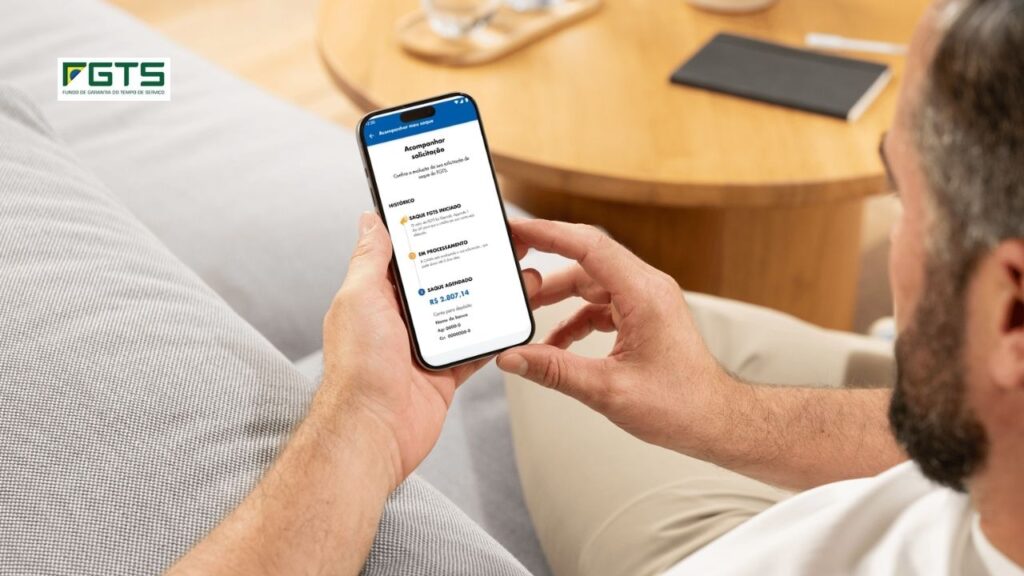
After requesting the withdrawal, you can check the progress of the process within the application. To follow:
1️⃣ Open the FGTS App
👉 Android: https://play.google.com/store/apps/details?id=br.gov.caixa.fgts.worker&hl=en_BR
👉iOS: https://apps.apple.com/br/app/fgts/id1038441027
2️⃣ Access the area “My withdrawals”
3️⃣ Tap “Accompany” request
There you will see information such as:
- request sent
- ongoing analysis
- approved looting
- payment made
This monitoring helps you understand where the order is.
Common errors when requesting withdrawal through the application
Some people encounter difficulties during the looting process.
The most common mistakes include:
❌ Bank account incorrectly reported
attempt to withdraw without modality available
outdated cadastral data
connection failure in the application
In most situations, reviewing the information you provide already solves the problem.
If the error continues to appear, you may need to update your registration data in the system.
Important tips before requesting the withdrawal
Before confirming a withdrawal request in the app, some checks can prevent problems.
Worth it:
check the type of withdrawal available
✔ review the bank account details
ensure that the application is up to date
check if there is a stable internet connection
These simple precautions help make the process faster and safer.
The FGTS application has greatly simplified access to the Guarantee Fund money.In a few minutes, the worker can request the withdrawal, indicate a bank account and follow the entire process directly by mobile phone.
Understanding how this process works helps you use the application more safely and ensures that the request is made correctly when any withdrawal opportunity arises.