Announcements
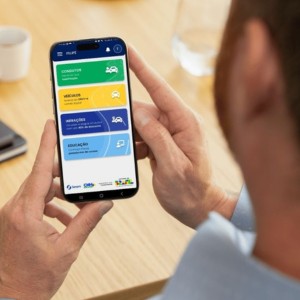
Consult the vaccine card by cell phone is already possible for users of the Unified Health System. The SUS digital vaccination card gathers the doses recorded in the system and it allows you to access the complete history directly through the My SUS Digital application or through the official website.
How to access the digital vaccination card in the application
📱 Access to the SUS digital vaccination card begins with My SUS Digital.
If you have not installed the application or want to access through the browser, use the official links:
📲 Download the app for Android (Google Play)
https://play.google.com/store/apps/details?id=br.gov.datasus.cnsdigital&hl=en_BR
🍎 Download the iPhone app (App Store)
https://apps.apple.com/app/my-sus-digital/id1045754608
🌐 Access My SUS Digital through the website
https://myususdigital.saude.gov.br/login
After opening the app or website:
1️⃣ Log in using your gov.br account.

2️⃣ On the home screen, look for the section My Health.
3️⃣ Tap or click on the option Vaccines.
Within this menu, the system will show access to the National Vaccination Wallet, where are registered the vaccines applied in SUS.
📌 This digital document gathers the information recorded by health units in the national system.
👉 If you don't already have a gov.br account, then check here how to create.
Where to view vaccination history
💉 The complete history of vaccines can be consulted within the vaccination area of the application.
📌 After accessing the menu Vaccines, the user will find different sections with information about immunizations registered in the system.
Among them:
- National Vaccination Wallet
- Vaccine history
- Vaccination documents
In the history, the system can show details such as:
- 📅 date of application of the vaccine
- the health care facility where the dose was applied
- manufacturer of immunizing
- type of vaccination campaign
📲 This information is part of the SUS digital vaccination card and helps the user to track their immunization history.
How to issue proof of vaccination
📄 My Digital SUS also allows you to generate a digital proof of vaccines registered in SUS.
To issue the document:
1️⃣ Access the menu Vaccines.
2️⃣ Open the National Vaccination Wallet.
3️⃣ Look for the icon of download in the corner of the screen.
The system will generate a file in PDF, which can be:
- saved on mobile or computer
- shared with health professionals
- printed when needed
📌 The document has a QR Code that allows you to verify the authenticity of the information.
This feature is useful, for example, when it is necessary to present proof of vaccination in health services or on international tripsdepending on the vaccine registered.
What to do when vaccines do not appear in the app
⚠️ In some cases, the user can access the application and realize that some vaccines do not appear in the digital wallet.
This can happen for different reasons:
- the vaccine has not yet been sent to the national system
- divergence between data from CPF in gov.br and SUS registration
- error in the health unit registration
- temporary instability of the system
📌 Important: When this happens, it is recommended to seek the health unit where the vaccine was applied.
Professionals can check the registration and request the updating of information in the SUS system.
It is also important to check if:
- the login to gov.br is working properly
- the cadastral data are correct
- the app is up to date
How long it takes for vaccines to appear in the system
There is no fixed deadline for a vaccine to appear in the SUS digital vaccination card.
The update time it depends on the sending of information by the managers state or municipal health for the national base of the system.
In many cases, vaccines appear quickly after registration. However, during vaccination campaigns or periods with large volume of applications, the update may take longer.
📌 If the vaccine does not appear after some time, the best advice is to look for the health unit where the dose was applied to verify the sending of data.

📲 The SUS digital vaccination card facilitates access to immunization history and allows you to consult vaccines registered directly by cell phone.
Using My Digital SUS, citizens can track their doses, issue vouchers and verify important information without having to carry the physical card.
