Announcements
Consult vaccines, tests or your SUS number can take a few minutes on mobile ' BUT before that you need to install the official application of the Ministry of Health. If you want to know how to Download My SUS Digital and set up the app correctly on your device, and see below the complete step by step.
How to download the My SUS Digital app on your phone
📲 The first step to accessing your health information is to download the official app.
O My SUS Digital it is available for free in the main app stores. Just go to one of the pages below and start the download.
👉 Download on Android (Google Play)
https://play.google.com/store/apps/details?id=br.gov.datasus.cnsdigital&hl=en_BR
👉 Download on iPhone (App Store)
https://apps.apple.com/app/my-sus-digital/id1045754608
After you open the app page in the store, tap Install or Get and wait for the download.
💡 This is the official and safest method for anyone who wants to know how to download My Digital SUS without risk of installing fake applications.
In addition to the app, there is also a web version of the service, which can be accessed by the browser:
🌐 https://myususdigital.saude.gov.br/login
Install the My SUS Digital app: step by step
⚙️ After downloading, the installation usually happens automatically.
On most mobile phones, the process takes only a few seconds. See how it works:
1️⃣ Download the app in the store of your mobile.
2️⃣ Wait for the download to finish.
3️⃣ The phone system will do the installation automatically.
4️⃣ When complete, the icon of the My SUS Digital it will appear on the screen of the device.
after that, the app will be ready for use.
If your phone is set to install apps manually, the system itself will ask for permission to finish the installation.
How to make the first access in the application
🔐 After installing the app, it is time to make the first access.
To start using the My SUS Digital, follow this simple process:
1️⃣ Open the app on your mobile.
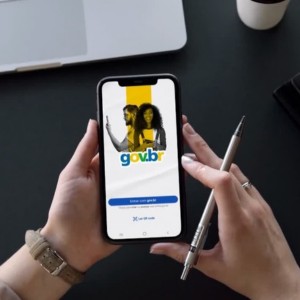
2️⃣ On the home screen, tap “Enter with gov.br”.
3️⃣ The system will direct you to the authentication page.
On first access, the application can request:
- acceptance of terms of use and privacy policy
- cell phone permissions, such as location or camera
📌 These permissions are used for features such as finding nearby health facilities or reading certificate QR codes.
After completing these steps, you will be directed to the main screen of the application, where you can access the available services.
How to sign in using the gov.br account
The login in the application works through the gov.br account.
This system is a official digital identity of the federal government, used to access various public services online.
To enter the application:
1️⃣ Tap Login with gov.br.
2️⃣ Type your CPF.
3️⃣ Inform a gov.br account password.
4️⃣ Confirm authentication.
After that, the system frees up access to your health information.
📌 If you do not have a gov.br account yet you can create it for free on site https://www.gov.br/. Here is the step by step process to create your account.
During registration, the system may request identity validation by:
- facial recognition
- accredited banks
- digital certificate
- confirmation of personal data
💡 Hint: To use all the features of the application, it is recommended to have at least the security level silver the gov.br account.
What to do if you are unable to enter the app
⚠️ Some users may experience difficulties in first access.
Among the most common problems are:
- incorrect password of the gov.br account
- gov.br account not yet created
- outdated app
- temporary connection failures
If you forgot the password, just click “I forgot my password” on login screen and follow the recovery process.
The system will allow you to reset access using:
- registered email
- phone number
- identity validation

🔎 In most cases, resolving the login issue already allows you to normally access the app.
now that you know how to download My SUS Digital, install the application and log in with the gov.br account, the next step is to explore the functions available on the system.
Within the app you can follow vaccines, check tests and access various information recorded in the SUS directly by mobile.
