Announcements
To use the My INSS application, the first step is to have an active gov.br account, because this registration works as a digital identity of the citizen and allows you to access various public services online. In a few minutes, you can create the account, validate your data and start using the system.
How to create gov.br account to access My INSS
The gov.br account is mandatory to access My INSSeither by the app or the website.
📲 This registration works as single login for government digital services, allowing the citizen to use multiple platforms with the same user and password.
Among the services that use the gov.br account are:
- My INSS
- Digital Work Portfolio
- income Tax Statement
- ConnectSUS
- educational and social security services
👉 To create the account, go to the official website:
It is also possible to carry out the process by the gov.br application on mobile.
Android:
🔗 https://play.google.com/store/apps/details?id=br.gov.meugovbr&hl=en_BR
iPhone:
🔗 https://apps.apple.com/br/app/gov-br/id1506827551
Step by step to register
📝 Creating a gov.br account is a quick process and can be done by mobile or computer.
See the basic step by step:
1️⃣ Access the official website:
🔗 https://accesso.gov.br
2️⃣ Inform your CPF and click on Continue
3️⃣ Confirm that you are not a robot and accept the terms of use
4️⃣ Check your personal data
5️⃣ Create a secure password for the account
📌 After these steps, the system will ask for the validation of your identity to complete the registration.
How to validate your identity in the system
🔎 Identity validation is mandatory to activate the gov.br account.
It serves to ensure that only the CPF holder can create or access the account.
The most common validation methods are:
📩 Code sent by e-mail
📲 Code sent by SMS
📝 Questions about your financial or professional background
🏦 Validation by internet banking of accredited banks
📸 Facial recognition by gov.br application
The system itself defines which methods will be available to each user.
in some cases, methods such as facial recognition or bank validation they already allow you to create the account with a higher level of security.
Common errors when creating an account
⚠️ During registration, some problems may prevent the account from being created.
The most frequent errors are:
❌ irregular CPF in the Federal Revenue
❌ Name different from the official registration
❌ Incorrectly typed email
❌ Outdated mobile number
📌 If any of these problems occur, the registration may be blocked or interrupted.
In these cases, it is best to check that the data is correct before trying again.
It's important, too use only the official website or the gov.br application, avoiding unknown links that may represent scams.
How to recover password
🔑 If you forget the password of the gov.br account, you can recover it in a few minutes.
Just access again:
After:
1️⃣ Inform your CPF
2️⃣ Click on the option “I forgot my password”
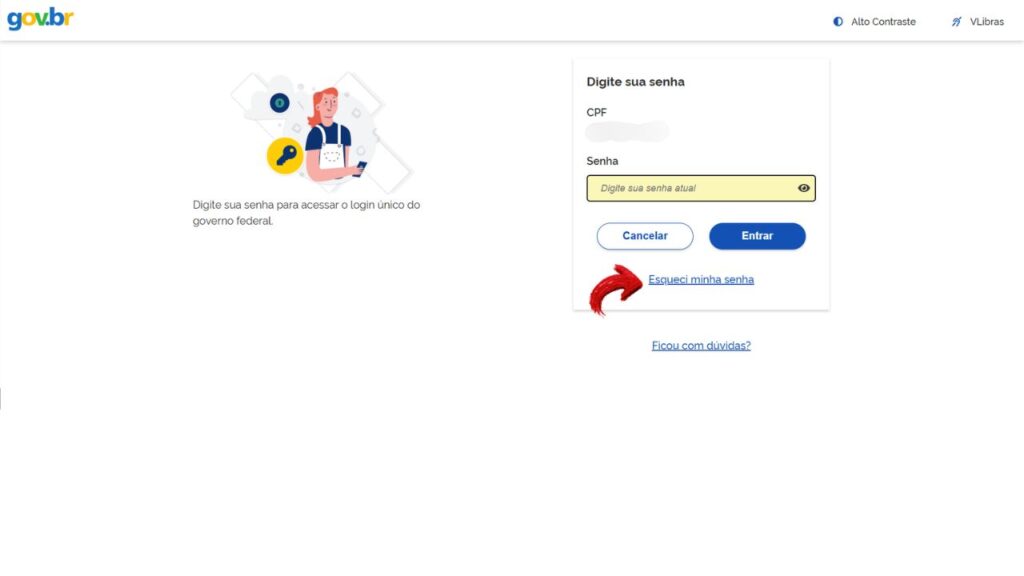
3️⃣ Choose a recovery method
Normally, uh the system allows you to regain access using:
📩 code sent by e-mail
📲 code sent by SMS
identity validation in the system itself
After confirming your identity, you can register a new password
What to do after creating the account
✅ Once your gov.br account is created, you can now access My INSS.
Some important actions at this time include:
✔️ Make the first login to the system
✔️ Check the account Level (Bronze, Silver or Gold)
✔️ Update and confirm your contact details
✔️ Activate a two-step verification
🔐 Two-step verification increases account security, requiring an additional code whenever there is new access.
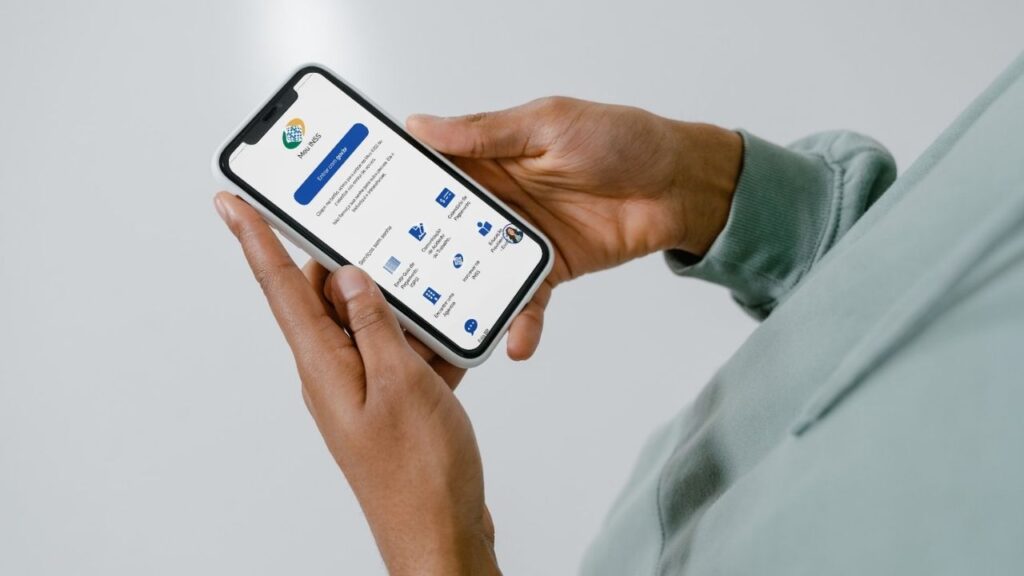
With the active account, the citizen can already use services such as:
- My INSS
- Digital Work Portfolio
- income Tax Statement
- SUS Services
- various digital public services
📱 After registering your gov.br account, just sign in to the My INSS application and start using Social Security services.
