Announcements
The My INSS application allows you to solve various Social Security issues without leaving home. Learn how to use the My INSS app to consult benefit, extract and services helps you keep track of your social security situation with more control, speed and security.
How to consult benefits to Receive in the My INSS app
One of the most used functions of the application is to consult benefit in the My INSS app.
📊 This query allows you to check if the benefit is active, suspended or terminated, as well as track amounts and information related to payment.
To see the benefit, follow this step by step:
1️⃣ Open the application My INSS on mobile
2️⃣ Tap “Enter with gov.br”
3️⃣ Inform your CPF and password
4️⃣ On the home screen, use the search bar
5️⃣ Type “Benefit” or select the service available
📌 Stay inside: The system shows the main information about pensions, pensions or aid linked to your CPF.
Among the data that can be consulted are:
- status of benefit (active, suspended or terminated)
- amount received monthly
- bank responsible for payment
- discounts applied to the benefit
👉 Access can also be made by the official website:
🔗 https://my.inss.gov.br/#/login
How to consult payment statement
Another very important function when using the My INSS app is to access the detailed statement of payments.
This document shows all information about the received values.
See how to consult:
1️⃣ Enter the application My INSS
2️⃣ Use the search bar
3️⃣ Type “Payment of BENEFIT”
4️⃣ Tap the displayed service
5️⃣ View the extract or download the document in PDF
The extract presents data such as:
- gross benefit amount
- discounts applied (payroll loans, memberships or income tax)
- net value received
- payment date and bank
📌 This document it can also be used as proof of income in financing, registration or contracts.
How to check contribution time (CNIS)
📑 The CNIS contribution statement is one of the most important documents available in My INSS.
O CNIS (National Register of Social Information) it gathers the entire history of contributions of the worker throughout his professional life.
It includes information such as:
- registered employment links
- dates of entry and exit in companies
- contributions as autonomous or MEI
- remuneration used in calculating benefits
To consult the CNIS in the application:
1️⃣ Open the My INSS and log in with CPF and password
2️⃣ Tap the search magnifying glass
3️⃣ Type “Contributions Extract (CNIS)”
4️⃣ Select the service
5️⃣ View the extract or download the Full PDF
PDF usually brings more details and is recommended for full analysis.
⚠️ It is important to check the CNIS carefullyerrors can affect the calculation of retirement.
Among the most common problems are:
- absent employment links
- incorrect admission or exit dates
- zeroed remuneration
- contributions below the minimum wage
How to schedule service by the application
📅 The application also allows you to schedule INSS services without having to call or go to an agency.
This includes, for example:
- medical expertise
- face-to-face service
- specific services related to benefits
See how to schedule:
1️⃣ Enter the My INSS
2️⃣ Search for “Agendar Expertise” or another desired service
3️⃣ Choose the type of service
4️⃣ Select date and agency available
5️⃣ Confirm the schedule
📌 After confirming, the order can be followed directly in the application.
If it is necessary to reschedule the service in another agency, the adjustment can be made by phone:
📞 Central 135
How to track orders in My INSS
whenever you request a service, you can follow the entire process through the application.
To check progress:
1️⃣ Enter the My INSS
2️⃣ Access the menu “Schedules/Requests”
3️⃣ Locate the desired request
The system shows different statuses for each request:
🕒 In analysis ^^^^^^^^^^^^^^^^^^^^^^^^^^^^^^^
✅ Completed ^^^^^^^^^^ The process has been finalized
❌ Undeferred ^^^^^^^^^ benefit was denied
The system can also send notifications by email or by the application itself when there is an update in the order.
⚠️ If any pending appears, it usually stays in the area “Complying with” Requirement, where it is possible to send documents directly by mobile phone.
Other useful services available in My INSS
🔎 In addition to consulting benefits and extracts, the application brings together several important services for the insured.
Among the available resources are:
- 📄 issue INSS beneficiary declarations
- simulate retirement
- locate INSS agencies
- 📑 consult the charter granting the benefit
- 📋 verify disability benefit result
- 🔢 consult number of NIT/PIS/PASEP
For example, to find the NIT number:
1️⃣ Access the application menu
2️⃣ Tap “My CADastro”
3️⃣ Scroll the screen until you see the number
📌 This number is used in various social security and labor services.
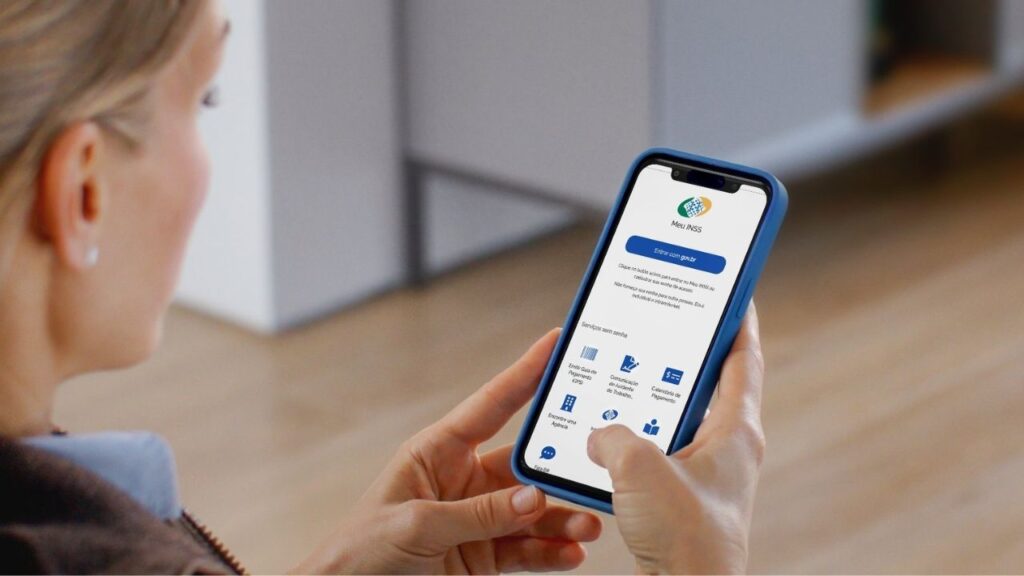
📱 Knowing how to use the My INSS app makes it much easier to follow your social security life. In a few minutes, you can check payments, check contributions, schedule appointments and follow requests directly on your phone.
In the next piece of content, you will learn how to apply for retirement through the My INSS application step by step, avoiding common errors during the request. 👇
