Announcements
Does your phone stop beeping and steal your attention? Notifications from apps and message groups seem to have no end?
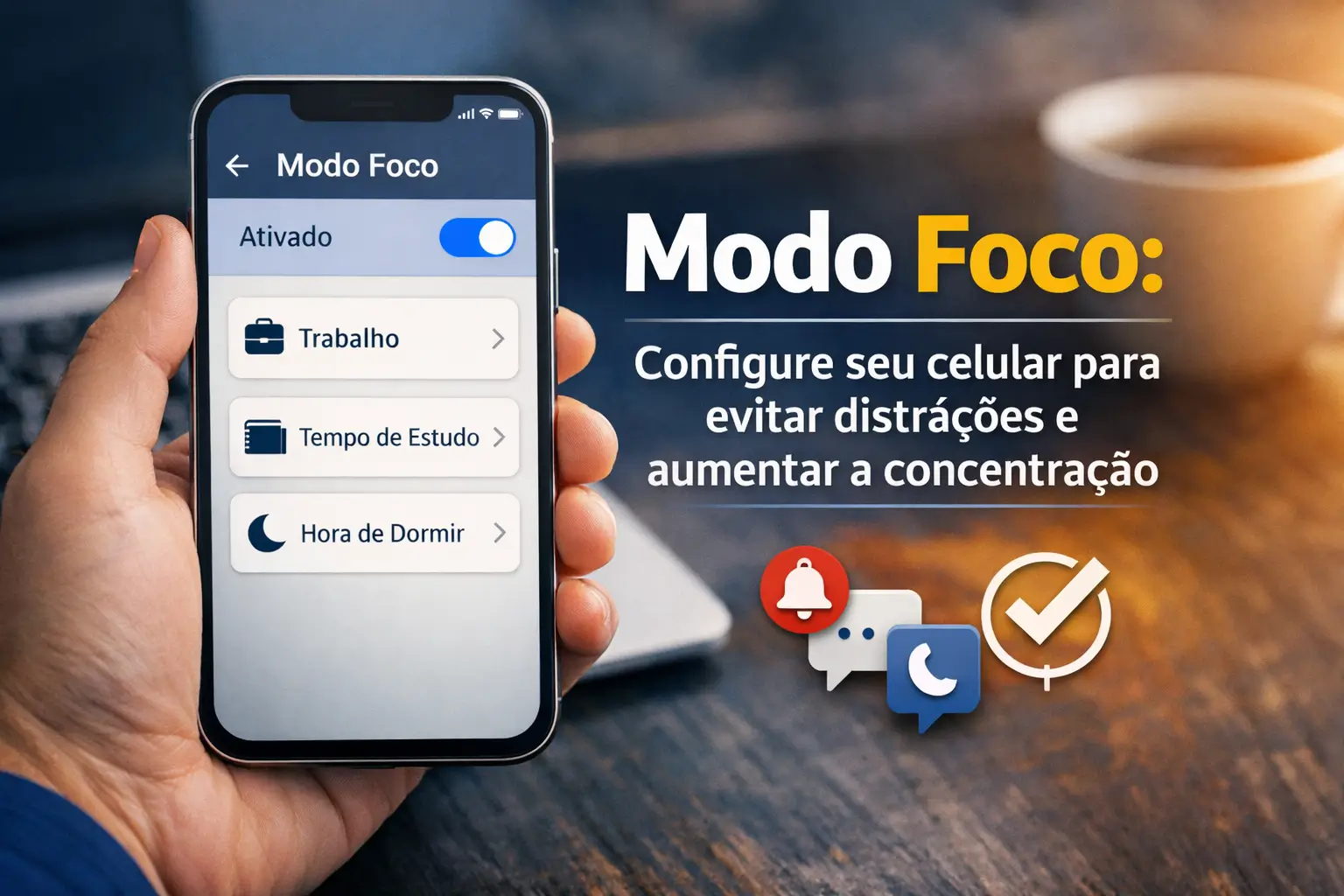
You can solve this with the Focus Mode. It is a powerful and free tool that already exists on your Android or iPhone.
This practical guide teaches you how to set everything up, step by step.Let's together turn your smartphone into an ally to regain your concentration.
What is Focus Mode and why should you use it?
Think of Focus Mode as a smart filter for your notifications. It is an evolution of the old “Do not Disturb”.
Instead of silencing everything, it lets you choose exactly which apps and people can get your attention at each moment of the day.
During work, for example, only emails and calls from the boss. When studying, only the study apps notify you.
The main benefits are practical and immediate:
- Increased concentration: Without the constant interruptions, you can focus on what really matters.
- Higher productivity: Your time yields more when you are in control of the pauses, not the mobile.
- Improving digital well-being: Reduces anxiety and “fear of losing something” (FOMO).
- Total customization: The phone finally adapts to your routine, not the other way around.
The real difference: Focus vs. Don't Disturb
Many people confuse the two, but the difference is huge. The“Do Not Disturb” is like a light switch: either everything is on or everything is off.
It mutes all notifications without distinction.This can be a problem if you are expecting an urgent call or an important message.
Already the Focus Mode is a personal assistant. You create “perfis” for different situations: Work, Study, Personal, Academy, Rest.
For each profile, you set the rules of the game. Which apps can notify? Which contacts can call? You have full and granular control.
Summarizing: Do not Disturb is for total silence.Focus Mode is for intelligent and productive silence.
How to set Focus Mode on your Android
In the Android universe, the path may vary a little depending on the brand of your device, but the logic is the same. The official name is “Well-being digital”.
For most phones (Motorola, Xiaomi, Google Pixel):
- Access Settings: Open the “Set” or “Adjustments” app.
- Find Digital Wellness: Scroll the screen and tap “Digital wellness and” parental control.
- Choose Focus Mode: Within this section, you will see the option “Focus Mode”. Tap it.
- Select villains: The screen will show all your apps. Mark those that distract you the most (social networks, games, etc.).
- Set a schedule: You can activate at the time or, what is better, schedule. Set the days and times when the focus should be activated automatically.
If you have one samsung Cell, The path is a little different and even more powerful, using the “Modes and Routines” function.
- Go to Settings and search for “Modes and ROUTines”.
- Create a mode: You can use templates like “Work” or “Sono”, or create one from scratch.
- Customize everything: Set which contacts can call, which apps can notify, and even change the wallpaper when the mode is active.
- Schedule activation: Schedule to activate based on time, location (arrived at work, it activates) or when opening a specific app.
Step by step to enable Focus on iPhone (iOS)
On iPhones (with iOS 15 or higher), the tool is called only “Foco” and is one of the great highlights of the system.
- Open Settings: Tap the gear icon on your home screen.
- Select Focus: The option will be visible in the second block of settings.
- Create or edit a Focus: Apple already offers some models (Job, Personal, Sleep). Tap the “+” in the top corner to create a new one.
- Allow People: On the next screen, choose which contacts are allowed to stick to the lock. Ideal for family and emergencies.
- Allow Applications: Now, do the same for apps. Select only those that are essential to your activity.
- Customize screens: An amazing feature of iOS is being able to choose which page of your Home Screen or Locked Screen will be displayed.
- Set a Smart Activation: Schedule by time, location, or let your iPhone learn its routine and turn on Focus automatically.
To quickly turn on or off, simply open Control Center (dragging your finger from the top right down) and tap the “Foco” button.
Tips for using Focus Mode like a pro
Just configure is not enough. The secret is to integrate Focus Mode into your daily routine. Here are some practical tips from those who use the tool every day.
- Create a Focus “Reading”: Only allow apps like Kindle, Kobo, or news apps. Schedule to activate when you open those apps.
- Have a Focus “” Transit: In the car, create a Focus that allows only map apps (Waze, Google Maps) and music (Spotify).
- Use Focus “Academia”: Release just your workout and music app.No work notifications to disrupt your workout.
- Set up automatic responses: On iPhone, you can set up an automatic message to let people know you're focused.
- Do not overdo the allowed apps: The goal is to reduce, not just organize. Be rigorous in your selection. Less is more.
When is Focus Mode not the best solution?
The tool is fantastic, but it is not for all situations. It takes common sense. Technology should serve us, not the other way around.
If you are on call, waiting for an emergency call, or waiting for an important customer to respond, a very restrictive Focus may not be ideal.
In these cases, an alternative is to use the notification settings of Android or iOS itself. You can mute specific conversations in WhatsApp, for example.
Another option is to create a lighter Focus Mode, which blocks only social networks and games, but keeps communication apps and important contacts released.
Alert: Focus protects your attention, not your data
Using Focus Mode helps you avoid distractions, but it doesn't shield your phone from scams. Keeping your concentration also means being on the lookout for digital threats.
Criminals take advantage of moments of distraction to apply blows. Keep an eye on these critical points:
- Phishing by message: Beware of SMS or WhatsApp messages with suspicious links promising prizes or asking to update data.
- WhatsApp Cloning: Enable two-step verification. It is the most important security layer to protect your account.
- Public wifi: Avoid using open networks of cafes or airports to access banking apps or shop.
- Fake apps: Download apps only from official stores (Google Play Store and Apple App Store). Be wary of apps with few reviews.
- Secure Mobile App: Download the official government application.In case of theft, it helps to lock the device and bank accounts quickly.
Remember: no serious institution asks for your password or security code by phone or message.In doubt, do not click and do not report anything.
Your phone is your ally, not your boss
Focus Mode is more than a setup.It's a change of mindset about how we relate to the technology we carry in our pocket.
You don't have to be held hostage by notifications. With a few minutes of setup, you can take back control of your time and attention.
Try creating your first Focus profile today.Start with work hours and feel the difference in your productivity and peace of mind.
Maybe you might like: