Announcements
Today, much of the information about employment links can be consulted on the internet. Therefore, many people seek to know how to access the Digital Work Card to check employment contracts, professional history and benefits. Access is done using the gov.br account.
How to Log in to Digital Workbook
Access to the digital wallet is done using the gov.br account, which identifies the citizen in the government online services.If you do not already have an account, see here the step by step to create your.
You can access it in two ways ⤵️.
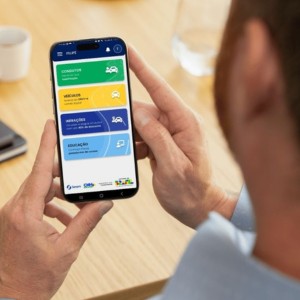
📱 By the app
One of the simplest ways of access Digital Workbook it is by the official application on mobile.
If you do not have the app installed yet, you can download it from the official stores:
📲 Android (Google Play)
https://play.google.com/store/apps/details?id=br.gov.datarev.carteiradigital
🍎 iPhone (App Store)
https://apps.apple.com/br/app/digital work-portfolio/id1295257499
After installing the app, follow these steps:
1️⃣ Open the app Digital Work Portfolio
2️⃣ Tap “Enter with gov.br”
3️⃣ Type your CPF
4️⃣ Inform a password of your gov.br account
✨ After logging in, the app will display your Digital Workbook with your contracts and registered professional information.
🌐 By computer
It is also possible to access via the internet.
🔗 Official Digital Workbook Portal:
https://www.gov.br/en/services/obter-a-carteira-de-labour
Basic steps:
1️⃣ Access the portal
2️⃣ Click “Initiate”
3️⃣ Tap “Enter with gov.br”
4️⃣ Report CPF and password
✨ This is the basic process of how to access the Digital Workbook by gov.br.
How to regain access to gov.br account
if you forgot the password or cannot log in to the account access can be regained quickly. Here you can check out the complete step by step.
You can start the process by the app or the official website.
🔗 https://accesso.gov.br
Step by step to recover the password
1️⃣ Open the website or app gov.br
2️⃣ Type your CPF
3️⃣ Click on “I forgot my password”

The system will provide ways to confirm your identity.
Ways to regain access
depending on your account, options may include:
📱 Facial recognition
The app asks you to use the camera of the phone to validate your identity.
🏦 Validation by accredited bank
You confirm your identity by bank internet banking.
📧 Confirmation by e-mail
A code is sent to the registered email.
📲 Code by SMS
The system sends a code to the registered phone.
✨ After validation, you can create a new password and re-access your account.
Where to consult employment contracts
📄 After understanding how to Access Digital Workbook, you can consult the employment records directly on the platform.
👉 In the app or portal, look for the section: Work Contracts.
In this area it is possible to visualize:
- companies where you worked
- dates of admission and termination
- employment situation
- recent contract movements
The system also presents the last movements recorded in digital wallet.
How to check work history and salaries
The Digital Work Card functions as a professional history of the worker.
Within the area of contracts it is possible to consult information such as:
- occupied position
- start and end dates of work
- registered remuneration
- link observations
These data are sent by companies the government system through eSocial.
therefore, they can appear in the digital wallet up to about 48 hours after the employer sends the information.

What to do if your data does not appear
in some cases, the data may not appear immediately in the digital wallet.
This can happen for a few reasons.
information not yet submitted by the employer: Companies register links in the system esocial, which feeds the digital wallet data.
🔐 Account level gov.br: Some features may require a higher level of account security.
In this case, it may be necessary:
- validate account by app gov.br
- perform facial recognition
- answer verification questions
👉 Here's how to increase the level of the gov.br account.
divergences in ancient records: Older links may have inconsistencies due to database migration.
If the problem is in recent records, the orientation is inform employer, which can fix the data sent to the system.
