Announcements
Activating the Digital Work Wallet is one of the first steps for those who will start a new job or want to track their professional records online.In this guide, you will understand how to activate Digital Workbook for the first time in a simple and safe way.
How to activate Digital Workbook in minutes
The good news is that the activation process is fast and free. For activate Digital Workbookyou basically need two things:
- your CPF
- one gov.br account
✅ After that, just access the application or the official government portal.
📲 You can download the application directly from the official stores:
- Android (Google Play):
https://play.google.com/store/apps/details?id=br.gov.datarev.carteiradigital - iPhone (App Store):
https://apps.apple.com/br/app/digital work-portfolio/id1295257499
🔗 It is also possible to access the internet on the official portal:
https://www.gov.br/en/themes/work-to-digital wallet
Step by step to activate
📌 1. Download the Digital Work Wallet app
Install the app on your mobile phone from the official store (links above).
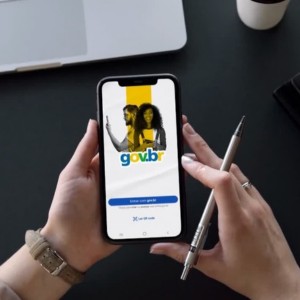
📌 2. Open the app and tap on “Enter with gov.br”
This option appears right on the home screen of the app.
📌 3. Enter your CPF
The CPF acts as the main identification of your digital wallet.
📌 4. Log in with your gov.br account
If you already have registration, just enter your password.
📌 5. Access your digital wallet
After logging in, your wallet will automatically load with your professional data.
✨ Ready: your Digital Workbook will already be activated.
This is the basic procedure to activate the Digital Workbook and start querying your work records.
Who needs to activate CTPS Digital
👥 Any person who possesses CPF can use the Digital Work Card.
This includes:
- employed workers
- people who are looking for a job
- who never had a signed wallet
- brazilians and foreigners with CPF
📌 Even those who have never worked formally can activate the application. In this case, the system will display only the personal data until there is a registered work link.
How to create or access your gov.br account
🔐 The account gov.br it works as the single login for government digital services.
With a single password, you can access:
- Digital Work Portfolio
- services of INSS
- unemployment insurance
- other digital public services
👉 You can create your account at gov.br website. See below step by step.
How to create account
📌 1. Access the gov.br website or application (see here how to download the gov.br application)
📌 2. Click on “Create” account
📌 3. Enter your CPF
📌 4. Confirm your personal data
📌 5. Choose a form of verification (email or mobile)
📌 6. Create a password
After that, your account will be ready to access the Digital Workbook.
🔎 In some cases, you can also validate your account by:
- facial recognition
- internet banking of accredited banks
- digital certificate
📢 Important: The higher the security level of the account, the more services are available.
Difference between Digital Work Portfolio and physical wallet
📄 The digital version it does not completely eliminate the physical wallet, but changed the way of registration of employment contracts.
See the main differences:
Physical wallet
- paper document
- records made manually
- used primarily for old bonds
Digital wallet
- accessed by application or internet
- records made electronically
- quick consultation of contracts and benefits
today, in most of the hiring, we the worker needs to inform CPF only, because the records are made electronically by employers.
Common mistakes when activating the digital wallet
Some difficulties are more common during activation.Knowing these problems can avoid frustration.
1️⃣ Not have account gov.br: Without the gov.br account it is not possible to access the digital wallet.
✔ Solution: create the account in the official portal before trying to access the application. Here's how to create your own.
2️⃣ Report incorrect data: If there are divergences in the registered data, access may fail.
✔ Solution: check CPF and personal information.
3️⃣ Account validation issues: Some services require higher level of security in the gov.br account.
✔ Solution: perform additional validation by the gov.br application.
4️⃣ Outdated application: Old versions of the app may generate access errors.
✔ Solution: update the app in the official store.
learning how to activate the Digital Work Card is an important step to follow your professional life more easily. After making the first access, you can consult employment contracts, track benefits and receive notifications about changes in your employment relationship.
